Showback shows costs. Chargeback bills for them. That’s the whole distinction, and it drives everything else in this guide: showback is a report-only visibility layer that maps AWS spend to teams without moving money, while chargeback posts those same costs as internal invoices or budget transfers that hit a business unit’s actual numbers.
Most organizations should start with showback. It builds the tagging discipline, cost data, and stakeholder trust you need before anyone tries to enforce financial accountability. Gartner projects worldwide public cloud spending will hit $723 billion in 2025, and that scale is exactly why guessing your way into a chargeback model tends to backfire. The FinOps Foundation treats allocation as a maturity capability you build in stages, not a switch you flip.
Here’s the short version before we dig in:
- Showback = internal reporting only. No bill, no P&L impact, low friction.
- Chargeback = internal billing. Real budget consequences, higher setup cost.
- Recommended path: showback first, then pilot chargeback on your most stable, predictable services.
- Cost Beacon’s own audits follow this same logic: fix the data and tagging first, then decide where enforcement actually pays off.
Key Takeaways
Showback builds trust and tagging discipline through reporting alone, while chargeback enforces financial accountability through real internal billing, and most organizations should implement them in that order.
| Point | Details |
|---|---|
| Showback comes first | Deploy showback to build tagging discipline and stakeholder trust before any billing consequences begin. |
| Tagging coverage is the hinge | Get AWS Cost Allocation Tags above 95% of spend before you consider piloting chargeback. |
| Chargeback needs finance buy-in | Confirm invoicing cadence, GL posting, and dispute processes exist before billing any team. |
| Pilot on stable services first | Test chargeback on one predictable, well-understood workload before expanding it further. |
| Audit your data before you scale | A Cost Beacon pay-on-savings audit checks tagging accuracy and AWS spend before you build allocation reports on top of it. |
Table of Contents
- Showback vs Chargeback: What Showback Actually Is
- Showback vs Chargeback: What Chargeback Actually Is
- Showback vs Chargeback: A Side-by-Side Comparison
- Should You Choose Showback, Chargeback, or Both?
- How to Implement Showback and Chargeback on AWS
- Common Pitfalls That Derail Cost Allocation Programs
- What an AWS-Ready Allocation Program Looks Like
- What Actually Works When Choosing a Cost Allocation Model
- Get Your AWS Cost Allocation Data Audit-Ready
- Frequently Asked Questions
- Sources
Showback vs Chargeback: What Showback Actually Is
Showback is a reporting mechanism. It shows each team what their AWS usage costs without ever moving a dollar between budgets. Nobody gets an invoice. Nobody’s quarterly numbers change. The finance team simply publishes a report that says, in effect, “this is what your workloads cost us this month.”
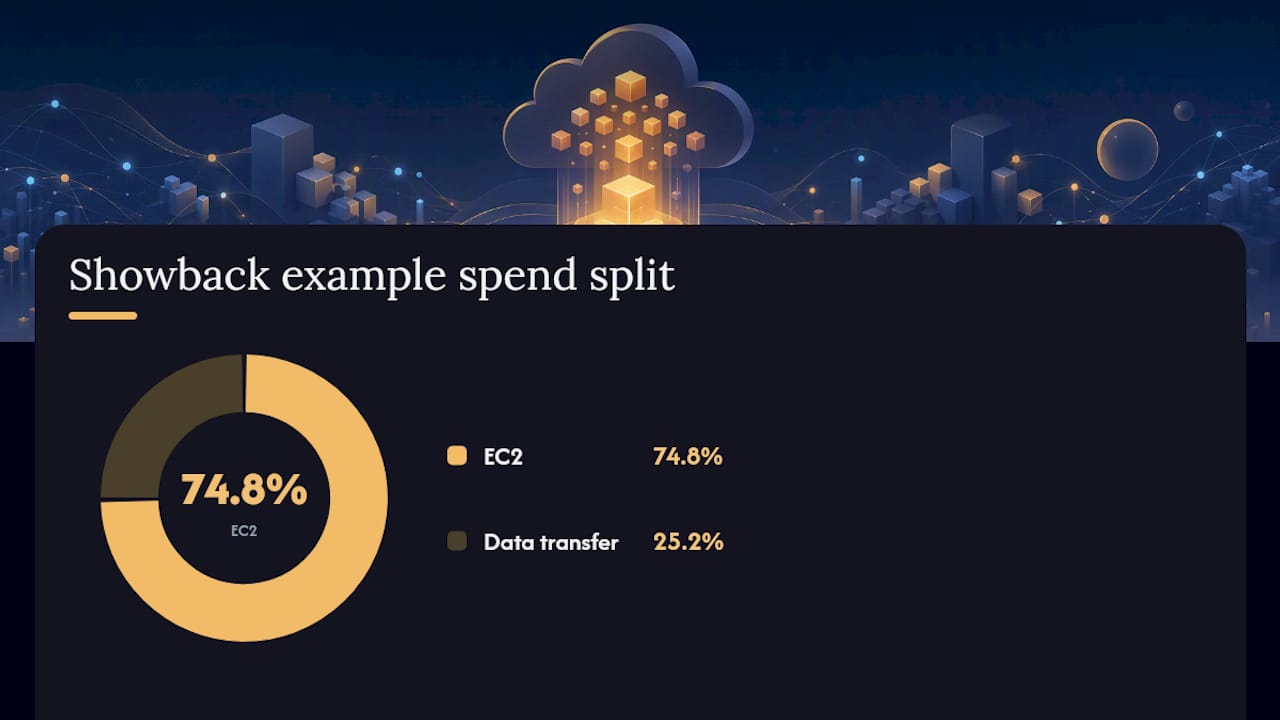
On AWS, showback typically runs through three native tools working together as explained in Cloud Services Explained: Migration, Costs & Security to give you comprehensive visibility on cloud consumption. AWS Cost Explorer gives you visual, filterable breakdowns of spend over time. AWS Cost Allocation Tags let you label resources by team, project, or environment so costs roll up to the right owner. Consolidated billing across linked accounts then pulls it all into one place, so a FinOps analyst can generate a monthly report showing, say, that the recommendation engine team spent $18,400 on EC2 and $6,200 on data transfer last month, with no further action required.
That simplicity is the whole appeal.
Why teams start here:
- Faster to stand up than chargeback. In many cases, a tagging policy and a Cost Explorer dashboard get you running in weeks.
- Low political friction because no one’s budget takes a hit.
- Builds the tagging discipline and cost literacy that any future chargeback effort will depend on.
- Encourages self-correction. Engineers who see their own line item tend to shut down idle instances without being told.
The tradeoff is enforcement, or the lack of it. Showback creates visibility, not consequences. A team that ignores its monthly report faces no financial penalty, and cost accountability stays voluntary. Wikipedia’s overview of the model notes this is precisely why showback emerged as a lower-friction alternative to chargeback: it raises awareness without triggering the internal politics that come with actual billing.
Showback vs Chargeback: What Chargeback Actually Is
Chargeback takes the same underlying AWS cost data and turns it into an internal invoice or a budget transfer that actually lands on a business unit’s ledger. The finance team doesn’t just report the number, it posts it. A department’s cloud spend becomes a real line item against their P&L, the same way an external vendor bill would be.
The AWS mechanics start the same as showback: Cost Explorer and Cost Allocation Tags do the initial cost mapping. From there, chargeback adds a translation layer. Teams typically export detailed billing data through the AWS Cost and Usage Report (CUR), then feed it into an internal billing system or a finance tool that converts tagged AWS costs into recharges against cost center budgets. Microsoft’s FinOps guidance is explicit on this point: chargeback isn’t just a reporting exercise, it requires real invoicing workflows and alignment with how your finance team already processes cost transfers.
What you gain:
- Genuine accountability. When a bill hits your budget, cost decisions stop being someone else’s problem.
- Direct cost recovery for shared platform teams that would otherwise absorb infrastructure costs with no way to pass them along.
- Sharper forecasting, since business units start budgeting for cloud spend the way they budget for any other line item.
What it costs you operationally:
- Significantly more process overhead. You need consistent, accurate tagging across nearly all spend, or the bills will be wrong.
- Finance integration is mandatory, not optional. Someone has to own invoicing cadence, GL posting, and dispute resolution.
- Governance requirements multiply. True-ups, appeals processes, and an allocation policy all become necessary rather than nice-to-have.
Chargeback works. It also breaks quickly if you deploy it before your tagging and reporting foundations are solid.
Showback vs Chargeback: A Side-by-Side Comparison
Once you see both models laid out against the same criteria, the decision gets easier. Here’s how they stack up across the dimensions that actually matter for an AWS-heavy organization.
| Dimension | Showback | Chargeback |
|---|---|---|
| Definition / goal | Report-only cost visibility | Internal billing that shifts budget responsibility |
| Bill or report? | Report | Bill or formal budget transfer |
| Behavioral impact | Raises awareness, voluntary correction | Forces accountability, direct financial consequence |
| Operational complexity | Low to moderate | High, ongoing |
| Technical requirements | Cost Allocation Tags, Cost Explorer, basic dashboards | CUR exports, billing integration, near-complete tagging coverage |
| Best-fit org maturity | Early-stage FinOps, experimental workloads | Stable services, mature finance processes |
| Typical timeline & cost | Weeks to set up, low ongoing cost | Months to implement, higher ongoing overhead |
| Risks & governance | Limited enforcement, easy to ignore | Disputes, surprise recharges, requires strong governance |
A few things stand out once it’s side by side:
- The jump from showback to chargeback isn’t a tooling upgrade, it’s an organizational one. You’re adding invoicing, dispute resolution, and governance on top of the same cost data.
- Tagging coverage is the hinge point. Weak tags produce a merely imprecise showback report; the same weak tags under chargeback produce a disputed bill.
- SAP’s guidance on the two models recommends showback specifically for fast-changing or experimental environments, and saves chargeback for workloads with stable, predictable usage.
Should You Choose Showback, Chargeback, or Both?
The right answer depends on five signals, and most organizations can score themselves honestly on all five in under an hour.
Run through this checklist first:
- Finance process maturity. Can your finance team actually process an internal invoice, post it to a GL, and handle a dispute? If not, chargeback will stall on day one.
- Tagging completeness. What percentage of your AWS spend carries a cost-center or team tag? Below 80 to 90%, chargeback numbers will be wrong often enough to trigger complaints.
- Service stability. Are the workloads you’d charge for predictable month to month, or still shifting in architecture and scale?
- Stakeholder appetite. Have engineering leaders seen and accepted a showback report before? Skipping straight to a bill without that context invites pushback.
- Tooling readiness. Do you have AWS Cost Explorer dashboards, billing exports, and a reporting pipeline already running, or are you building all of it from scratch?
If most of those come back weak, showback is your starting point, full stop. FinOps Foundation guidance frames allocation itself as a maturity capability, not a one-time project, which is exactly why skipping steps tends to cost you credibility you can’t easily rebuild.
The recommended path looks like this:
- Deploy showback across all major AWS accounts and let teams sit with their own numbers for at least one full budget cycle.
- Use that period to enforce tagging standards and fix the gaps showback reports expose.
- Pick one or two stable, well-understood services (a shared database platform, a managed Kubernetes cluster) and pilot chargeback there first.
- Expand chargeback only to services where usage patterns have proven consistent for several months.
Pro Tip: Announce chargeback as a pilot on a named service before you announce it as a company-wide policy. Teams tolerate a trial with an opt-out conversation far better than a surprise bill with no warning.
How to Implement Showback and Chargeback on AWS
The technical build is straightforward. The discipline to keep it accurate is where most programs actually succeed or fail.
Follow this sequence:
- Inventory your services. List every AWS account, workload, and shared resource that generates meaningful cost.
- Define ownership. Assign a named team or cost center to each item on that list, no exceptions, no “shared” bucket left unowned.
- Implement AWS Cost Allocation Tags consistently. Enforce a tagging taxonomy (team, project, environment, cost center) through tag policies or automated remediation, not manual discipline alone.
- Enable cost export and reporting. Turn on the AWS Cost and Usage Report and route it to S3, then process it with Athena or Glue for flexible querying.
- Build showback dashboards. Use AWS Cost Explorer or a BI tool layered on your CUR data to publish monthly, team-level reports.
- Validate with finance. Have finance reconcile a few months of showback reports against actual AWS invoices before anyone trusts the numbers enough to bill against them.
- Pilot chargeback. Pick your most stable service, define the invoicing cadence, and run the first cycle with a grace period for disputes.
Track these metrics from day one:
- Tagged spend coverage (aim for very high coverage before piloting chargeback)
- Variance between reported and actual invoiced amounts
- Month-over-month spend per cost center
- Unit costs, like cost per API call or cost per workload hour, for services where usage scales predictably
On the finance side, decide your invoicing cadence (monthly is standard), how recharges post to the general ledger, and how you’ll handle true-ups when a tagging gap or usage spike throws a month off. Capital One’s practitioner guidance on the two models points out that showback tends to open a conversation, while chargeback escalates it, so build the finance workflow assuming disputes will happen occasionally, not never.
Common Pitfalls That Derail Cost Allocation Programs
Most failed chargeback rollouts trace back to the same handful of mistakes, and nearly all of them are preventable.
Watch for these:
- Poor tagging coverage. Untagged resources get lumped into a shared bucket, and whoever owns that bucket resents it immediately.
- Surprise recharges. Billing a team for costs they never saw coming, with no prior showback period, guarantees pushback.
- Inconsistent allocation logic. Splitting shared infrastructure costs differently month to month erodes trust fast.
- Skipping stakeholder engagement. Rolling out chargeback without engineering leadership buy-in turns a finance process into a turf war.
- Moving to chargeback too early. Immature tagging plus real billing consequences is the single fastest way to generate disputes.
Set these governance rules before you bill anyone:
- Publish a written allocation policy that explains exactly how shared costs get split.
- Define a formal owner for every cost center, in writing.
- Agree on a tagging taxonomy across engineering and finance before enforcement begins.
- Set an SLA for reporting accuracy, and hold yourself to it publicly.
- Build in true-ups for misallocated costs rather than treating every bill as final.
Pro Tip: Give every team a one-month grace period on their first chargeback cycle. No penalties, just the real bill for review. It turns a confrontation into a fact-check.
What an AWS-Ready Allocation Program Looks Like
Before you call a showback or chargeback rollout done, check it against a short list of concrete evidence, not just good intentions.
Confirm these before going live:
- AWS Cost Allocation Tags applied to most of the total spend, not just your largest accounts.
- Cost and Usage Report data flowing completely into S3, with no gaps in the historical record.
- Every tag mapped cleanly to an actual cost center, with no orphaned or ambiguous mappings left unresolved.
- Automated reporting running on a fixed cadence, not generated manually each month.
- A finance reconciliation process that compares showback or chargeback reports against actual AWS invoices.
An external auditor or internal FinOps reviewer should be able to ask for three things and get all three without delay: a written tagging policy, a sample internal invoice or allocation statement, and a recent reconciliation report showing variance was checked and resolved.
Cost Beacon builds exactly this kind of evidence trail into its audits. When we review an AWS environment, tagging gaps and misallocated spend are usually the first two things we flag, well before we get to the idle instances and oversized resources our audits are known for finding.
Most AWS cost allocation problems aren’t pricing problems. They’re tagging problems wearing a pricing costume. Fix the tags, and the bill starts telling the truth.
What Actually Works When Choosing a Cost Allocation Model
Showback builds discipline. Chargeback, introduced too early, builds friction instead. That’s the pattern that shows up again and again once you look past the framework diagrams: organizations that skip straight to internal billing almost always do it because a finance leader wanted enforcement fast, not because engineering was ready for it.
The metrics-driven pilot approach beats the top-down mandate every time I’ve seen it compared. Run showback long enough to trust the numbers, tag consistently, then bill only where the data is clean. If your tagging coverage or reporting pipeline isn’t there yet, that’s usually a sign to bring in a specialist audit before you commit to a chargeback timeline you can’t actually support.
Get Your AWS Cost Allocation Data Audit-Ready
Building showback or chargeback on shaky AWS cost data means every report and every bill inherits the same errors. Cost Beacon runs a hands-on audit of your AWS environment that finds the tagging gaps, idle resources, and oversized instances distorting your numbers before you build a single dashboard on top of them.
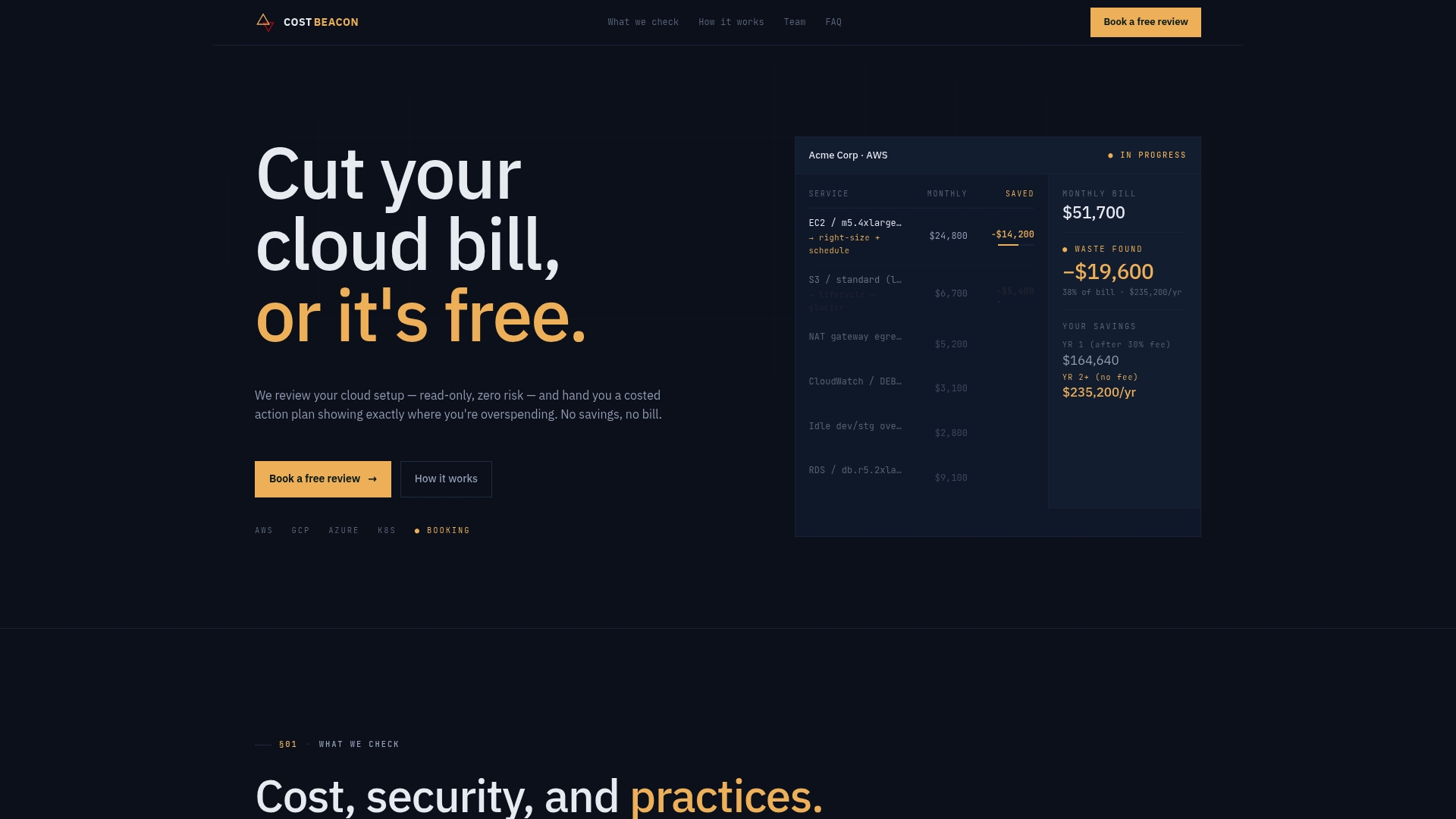
Unlike a generic FinOps consultancy retainer, Cost Beacon only gets paid when you actually realize savings. There’s no upfront fee and no cost if the audit doesn’t find anything worth acting on. Our engineers combine AI-driven analysis with manual review to produce a prioritized action plan, ranked by expected savings, so your tagging and allocation foundation is solid before you pilot chargeback on a single service. If you’re planning a showback rollout or eyeing chargeback for a stable AWS workload, start with a Cost Beacon audit to make sure the cost data underneath it is accurate first.
Frequently Asked Questions
Is showback vs chargeback a technology choice or an organizational one?
It’s mostly organizational. The AWS tooling, Cost Explorer, tags, and CUR data, is nearly identical for both models. What changes is whether finance turns that data into a report or an actual bill, which depends on your finance maturity and stakeholder buy-in far more than your tech stack.
Can a company run showback and chargeback at the same time?
Yes, and many mature organizations do exactly that. Stable, well-tagged services move to chargeback while newer or experimental workloads stay on showback until their usage patterns settle down.
How long does it take to move from showback to chargeback on AWS?
There’s no fixed timeline, but most organizations run showback for at least one full budget cycle, often two to three months, before piloting chargeback on a single service. Rushing this step is the most common cause of disputes.
What’s the biggest technical blocker to chargeback?
Incomplete tagging. If AWS Cost Allocation Tags don’t cover the large majority of your spend, chargeback bills will be inaccurate often enough that teams stop trusting them, which defeats the entire purpose of billing in the first place.
Do small companies need chargeback, or is showback enough?
Many smaller organizations run showback indefinitely and never move to chargeback, particularly when there’s no strict need to recharge costs across separate P&Ls. Chargeback earns its overhead mainly in larger organizations with distinct business units and independent budgets.
Sources
Verify the fundamentals and dig deeper with these resources before you finalize your allocation model:
- Microsoft Learn — FinOps framework: Invoicing and chargeback
- FinOps Foundation — Allocation capability
- SAP — Showback vs. Chargeback: Business value
- Gartner: Forecasts worldwide public cloud end‑user spending to total $723 billion in 2025
Recommended
Aaditya works on cloud cost and platform engineering at Cost Beacon, mostly on AWS and Kubernetes estates that grew faster than anyone planned for.
 Cost Beacon