GKE cost optimization comes down to one sequence, in this order: measure your golden signals first, rightsize and bin-pack second, buy discounts last. Engineers who reverse that order end up paying for committed capacity they later remove. The prioritized checklist looks like this:
- Measure and allocate. Turn on the Cost Optimization tab and Recommender to see utilization, then tag workloads by namespace or label for cost allocation.
- Rightsize and bin-pack. Fix the top waste sources: oversized requests, idle nodes, and poor scheduling density.
- Autoscale, then buy discounts. Enable HPA, VPA, and Cluster Autoscaler, and only purchase Committed Use Discounts once your baseline is stable.
- Identify your top 20% of waste by checking Recommender for idle clusters and overprovisioned workloads.
- Apply VPA to at least one non-critical workload this week to validate the recommendations engine.
- Trial Spot VMs on a batch job before touching production serving traffic.
- Do not buy new CUDs until rightsizing is done. Early commitments lock you into paying for capacity you’re about to shrink.
Key Takeaways
GKE cost optimization succeeds when teams measure golden signals, rightsize and bin-pack workloads, and only then layer in Committed Use Discounts on a stabilized baseline.
| Point | Details |
|---|---|
| Measure before you cut | Use the Cost Optimization tab and Recommender to find utilization gaps before changing any workload. |
| Rightsize with real windows | Use 14-day observation windows and percentile-based limits rather than guessing at resource requests. |
| Match autoscaler to workload | Use HPA for stateless services, VPA for slow-changing needs, and CA/NAP for node-level elasticity. |
| Buy discounts last | Purchase CUDs only after rightsizing settles, since early commitments risk paying for removed capacity. |
| Bring in Costbeacon for scale | Costbeacon runs a pay-on-savings audit that averages a 32% bill reduction across industries. |
Table of Contents
- What to Measure First for GKE Cost Optimization
- Rightsizing Workloads Without Breaking Reliability
- Autoscaling Levers That Cut Idle Spend
- Picking Node Families and Using Spot VMs Safely
- Understanding GKE Billing Models and Discount Options
- Region Choice and Network Egress Costs
- Building Guardrails So Savings Actually Stick
- When a Cost Audit Makes Sense
- What a Cost Beacon Audit Actually Delivers
- Sources
What to Measure First for GKE Cost Optimization
You can’t fix what you haven’t measured, and GKE gives you four “golden signals” worth tracking before you touch a single deployment: workload utilization, demand-based autoscaling behavior, bin-packing density, and discount coverage. Each one points to a different kind of waste, and Google Cloud’s own golden signals framework organizes cost programs around exactly these four.
The Cost Optimization tab and GKE usage metering expose requested, allocatable, and actual utilization metrics directly in the console. One caveat worth flagging: Autopilot clusters only surface these metrics when workloads specify requests and limits, so an unconfigured Autopilot deployment can hide from your own dashboards.
| Signal | Where to find it | Diagnostic action |
|---|---|---|
| Workload utilization | Cost Optimization tab | Utilization under 30% flags a rightsizing candidate |
| Autoscaling behavior | GKE usage metering | Frequent scale-up/down churn suggests bad thresholds |
| Bin-packing density | Recommender + node pool metrics | Low pod density per node means wasted node capacity |
| Discount coverage | Billing reports | Low CUD coverage on a stable workload signals a buying opportunity |
- Label every workload by team, namespace, or product line before you start collecting metrics.
- Cross-reference usage metering exports with billing labels so FinOps can allocate spend accurately.
Rightsizing Workloads Without Breaking Reliability
Rightsizing is where most GKE cost optimization work pays off first, and it starts with a proper baseline, not a guess. Google’s own right-sizing tutorials reference 14-day observation windows using the 95th percentile for limits and the 70th percentile for requests, which gives you enough headroom for traffic spikes without permanently over-provisioning.
- Classify workloads by tolerance. Split them into best-effort, burstable, and guaranteed tiers, since each tolerates different levels of aggressive rightsizing.
- Collect baseline data. Run VPA in recommendation-only mode for at least one full traffic cycle before applying any changes automatically.
- Stage the rollout. Test recommendations in non-production first, then apply to low-risk services, then move to customer-facing workloads last.
- Protect availability during changes. Use PodDisruptionBudgets and canary deployments so a rightsizing pass doesn’t trigger a reliability incident.
VPA works well for long-running services where resource needs shift slowly over weeks. For workloads with sharp, predictable spikes, manual tuning combined with HPA often beats VPA’s reactive adjustments.
Pro Tip: Automate VPA recommendation exports into your ticketing system so app teams review suggested changes weekly instead of quarterly. Rightsizing shifts your resource baseline, and buying Committed Use Discounts before that baseline settles is one of the most common ways teams overcommit and overpay.

Autoscaling Levers That Cut Idle Spend
Four autoscaling tools solve four different problems, and mixing them up is the fastest way to waste money. Autoscaling and node auto-provisioning rank among the core levers Google recommends tuning per workload, not applying uniformly across a cluster.
- HPA scales pod replica counts based on CPU, memory, or custom metrics. Use it for stateless, request-per-second driven services.
- VPA adjusts CPU and memory requests over time. Use it for workloads with slowly shifting resource needs.
- Cluster Autoscaler (CA) adds and removes nodes based on pending pod demand.
- Node Auto-Provisioning (NAP) automatically creates new node pools matching workload requirements, removing manual pool management.
A surprising number of “stuck” clusters that never scale down share the same root causes:
- Pods with unspecified or overly generous resource requests that block eviction.
- PodDisruptionBudgets set too conservatively, preventing CA from safely removing nodes.
- Long termination grace periods that delay node drain far past the actual shutdown time.
Pause pods (low-priority placeholder pods) can absorb capacity headroom, letting CA release real capacity faster during quiet periods.
Pro Tip: Tune your CA scale-down delay explicitly rather than relying on defaults. A default delay tuned for a bursty morning traffic pattern will happily keep nodes alive all weekend, and that idle capacity adds up fast across a month.

Picking Node Families and Using Spot VMs Safely
Node family choice and bin-packing strategy decide how much of what you pay for actually gets used. E2 machine types cost less and suit general-purpose, non-latency-sensitive workloads, while N2 instances deliver more consistent performance for services that need it. Migrating batch and internal tooling to E2 while keeping N2 for latency-critical paths is a common, low-risk first move.
- Structure node pools as a mix: a baseline on-demand pool for guaranteed capacity, plus spot-capable pools for elastic, interruption-tolerant work.
- Use anti-affinity and colocation rules to keep dependent services in the same zone, which also helps control egress costs.
- Spot VMs can run up to roughly 91% cheaper than standard on-demand VMs, but they fit batch jobs, CI pipelines, and other fault-tolerant workloads far better than stateful services.
- Build eviction handling into your workloads: graceful shutdown hooks, checkpointing, and retry logic before you move anything customer-facing onto Spot capacity.
Pro Tip: Run a small Spot pilot on a nightly batch job first. Add a shutdown hook that checkpoints progress, then measure actual savings against your on-demand baseline before expanding Spot usage further.
Understanding GKE Billing Models and Discount Options
Autopilot and Standard clusters bill you in fundamentally different ways, and picking the wrong one for your workload shape quietly inflates your bill. Autopilot uses pod-based billing, charging for the CPU, memory, and ephemeral storage your pods actually request. Standard clusters bill at the node level through Compute Engine pricing, meaning you pay for full node capacity whether or not pods fill it. Both modes carry a $0.10 per-cluster-per-hour management fee, offset by a $74.40 monthly free tier credit per billing account.
Because Autopilot billing tracks pod requests directly, sloppy resource requests translate immediately into higher costs. Rightsizing matters more, not less, once you move to Autopilot.
- Autopilot CUDs apply directly to pod-based spend.
- Resource-based CUDs commit to specific vCPU and memory amounts across Standard clusters.
- Flexible CUDs offer broader coverage across compute types with less rigid commitment terms.
- Rightsize workloads and stabilize your baseline first.
- Estimate a conservative, sustained usage floor from at least a month of data.
- Choose a CUD type and coverage level that undershoots that floor rather than matching it exactly.
- Layer in Spot VMs and Autopilot where workload shape allows, since FinOps guidance treats CUDs as the final layer, not the starting point.
Stagger commitment start dates and monitor coverage monthly. A single large CUD purchased against an unstable baseline is the single most common source of GKE budget overruns.
Region Choice and Network Egress Costs
Multi-zonal and regional clusters trade resilience for a real cost tradeoff: cross-zone traffic between pods in different zones generates egress charges that catch teams off guard. Best practices for cost-optimized GKE point to inter-pod affinity and anti-affinity rules as the standard mitigation, keeping dependent services colocated in the same zone.
- Audit egress spend using usage metering combined with your network egress reports.
- Choose the least expensive region that still meets your latency requirements, rather than defaulting to the region closest to headquarters.
- Reduce cross-zone chatter by colocating services with heavy east-west traffic.
- Flag data-transfer-heavy workloads explicitly for a periodic architecture review.
Building Guardrails So Savings Actually Stick
Optimization work that doesn’t get enforced drifts back to waste within a quarter. Guardrails turn a one-time cost push into a durable practice.
- Standardize labels and billing-aware resource naming across every namespace.
- Enable GKE usage metering cluster-wide, not just on flagship workloads.
- Set resource quotas per namespace to cap runaway requests before they hit production.
- Configure budget alerts tied to automation hooks, so a spend spike triggers a Slack alert or a ticket, not a surprise invoice.
- The GKE Recommender surfaces idle clusters and overprovisioned workloads through Console, CLI, and API access.
- Pair Recommender output with policy bundles that either auto-apply low-risk recommendations or open a ticket for anything touching production traffic.
- Review Recommender output on a fixed cadence (biweekly works well for most teams) so recommendations don’t pile up unaddressed.
When a Cost Audit Makes Sense
Internal teams can run most of this checklist themselves, but three situations usually justify bringing in outside FinOps expertise: cost has scaled past what a single engineer can track manually, cluster ownership is decentralized across multiple teams, or you’re running GKE alongside AWS and Azure without a unified view.
A proper audit delivers a measured baseline, a prioritized action plan ranked by expected savings, and often a full implementation roadmap, not just a slide deck of suggestions.
A 12-week engagement analyzing golden signals at Generali combined rightsizing, bin-packing, and autoscaling fixes into a 41% cost reduction, identifying roughly €260,000 in annual savings.
That kind of result isn’t guaranteed for every cluster, but it illustrates what’s possible when rightsizing, bin-packing, and autoscaling get tackled together instead of piecemeal.
The nuance most teams miss
Favor engineering-first optimization before financial commitments. Rightsizing and bin-packing done well often outperform CUD purchases made in a hurry. Watch reliability metrics closely after every change. A cost win that triggers an incident isn’t a win.
What a Cost Beacon Audit Actually Delivers
If your team recognizes the decision criteria above but doesn’t have the bandwidth to run this checklist properly, Costbeacon runs the audit for you and only gets paid when you save money.
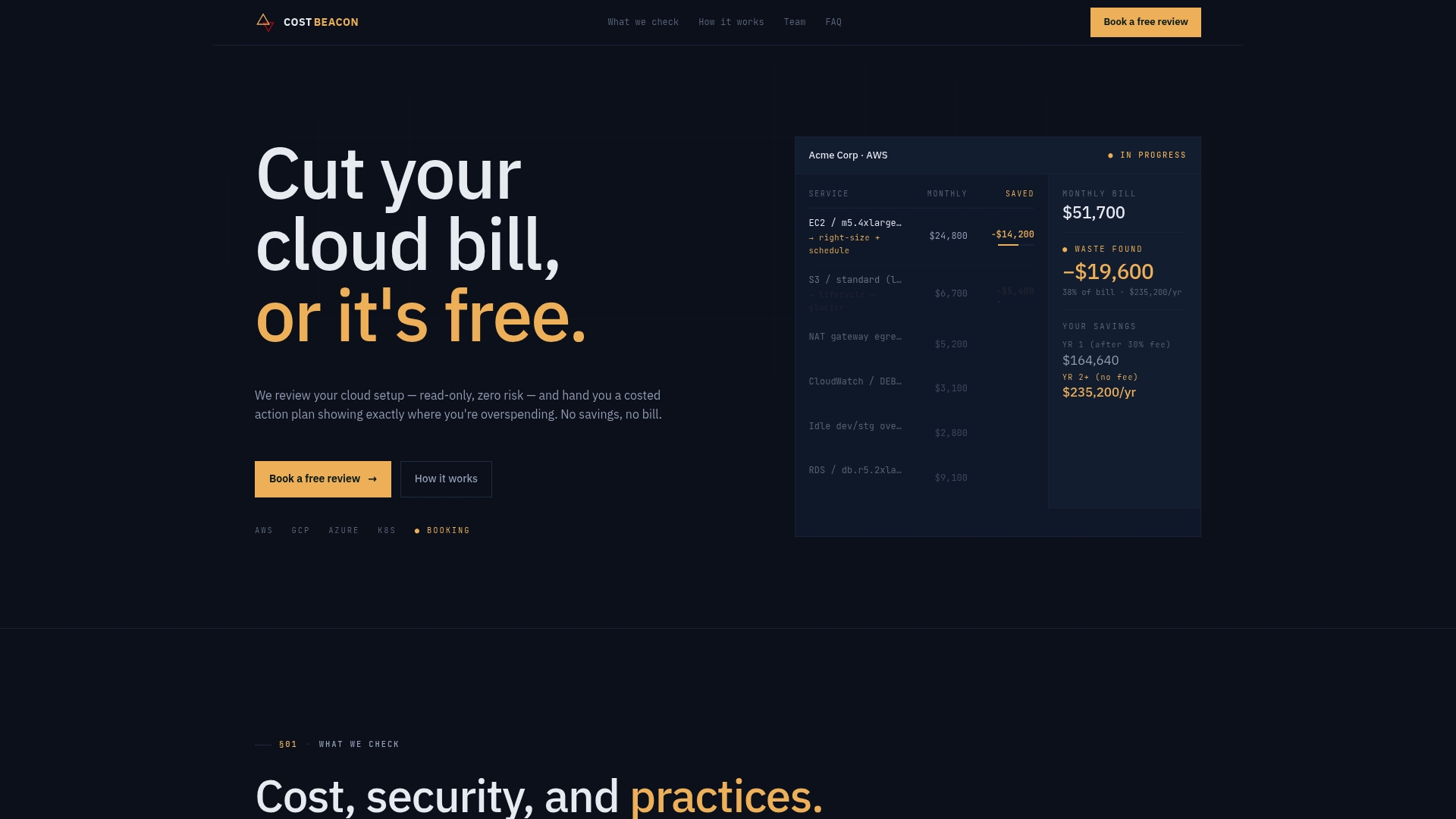
The engagement starts with a full baseline across your GKE utilization, node choices, and discount coverage, combined with AI-driven analytics and hands-on engineering review. You get back a prioritized action plan with expected savings per item, not a generic report. Clients have seen an average bill reduction of 32% across industries from fintech to telecom, and Costbeacon’s pay-on-savings model means there’s no invoice unless the savings materialize. If your cluster spend has outgrown ad hoc rightsizing and you want a measured, prioritized plan instead of guesswork, start a cloud cost review with Costbeacon and see what a full audit surfaces.
Sources
- View cost-related optimization metrics | Google Kubernetes Engine (GKE) | Google Cloud Documentation
Recommended
Aaditya works on cloud cost and platform engineering at Cost Beacon, mostly on AWS and Kubernetes estates that grew faster than anyone planned for.
 Cost Beacon