The fastest EKS savings come from three moves: rightsizing pod requests, enabling consolidation through a node autoscaler, and shifting predictable baseline capacity onto commitments such as Compute Savings Plans. Run them in that order and most clusters see measurable savings within a week.
Do this today:
- Pull 7 days of CPU and memory usage per pod and compare against requested values.
kubectl top podsgets you a rough start; Kubecost or OpenCost gives you the real number. - Check whether Karpenter or Cluster Autoscaler is actually consolidating nodes. If node count barely moves overnight, something is blocking it.
- Identify which workloads run 24/7 with predictable load. That capacity belongs on a Compute Savings Plan, not On-Demand.
Expected savings: rightsizing typically recovers 20 to 30% of compute spend, consolidation adds another 10 to 20% on node count, and Savings Plans cut committed EC2 costs by up to 52 to 72% versus On-Demand, depending on term length. The sections below cover the config, the monitoring stack, and the guardrails that make these changes stick.
Key Takeaways
EKS cost optimisation works best when rightsizing, autoscaler consolidation, and purchase commitments are executed in that order, each validated against real usage data before moving to the next.
| Point | Details |
|---|---|
| Rightsize first | Use 90th percentile utilisation over 7 to 14 days to set pod requests before touching autoscalers. |
| Fix consolidation blockers | Remove stray do-not-disrupt annotations and overly strict PDBs before blaming the autoscaler. |
| Commit only predictable load | Compute Savings Plans cut committed EC2 costs by up to 52 to 72% versus On-Demand. |
| Watch storage and network | EBS volume type and NAT gateway traffic often add 20 to 40% beyond compute alone. |
| Get an independent validation | Cost Beacon’s pay-on-savings audit finds and validates EKS savings with no upfront fee. |
Table of Contents
- Where does EKS spending actually come from?
- How do you right-size EKS workloads without breaking them?
- Karpenter or Cluster Autoscaler: which cuts costs faster?
- Which purchase option actually lowers your EKS bill?
- What blocks EKS Auto Mode from saving you money?
- Which tools give you EKS cost visibility?
- How do you run bursty workloads without wrecking consolidation?
- What guardrails stop cost regressions before they start?
- How does node replacement create hidden cost spikes?
- What should you fix first, and how long will it take?
- How does an expert audit find and prove EKS savings?
- How do you cut EBS and persistent volume costs on EKS?
- How long before each fix actually shows up in your bill?
- If you want an expert audit with no upfront cost
- Frequently asked questions
- Sources
Where does EKS spending actually come from?
Compute is almost always the largest line on an EKS bill, whether you’re running EC2 worker nodes or Fargate. Behind it, network and observability charges quietly add 20 to 40% on top of compute costs through NAT gateway hourly and per-GB fees, cross-AZ traffic, and metrics ingestion. The control plane itself is cheap in isolation, priced at $0.10 per cluster per hour on the standard support tier, but that adds up fast if your organisation runs a dozen small clusters instead of consolidating workloads onto fewer, larger ones.
| Cost area | Typical share of bill | What drives it |
|---|---|---|
| Compute (EC2/Fargate) | Largest single share | Oversized requests, low bin-packing density |
| Network and observability | 20 to 40% on top of compute | NAT gateways, cross-AZ traffic, metrics |
| Control plane | Small per cluster, multiplies with cluster count | $0.10/hour standard tier, provisioned tiers cost more |
| Storage (EBS/PV) | Varies by workload | Overprovisioned volumes, orphaned PVs |
Tag every resource and turn on split cost allocation tags in AWS Cost Explorer before you change anything. Without that mapping, you’re optimising blind.
How do you right-size EKS workloads without breaking them?
Rightsizing pod requests is the single biggest short-term win available to most clusters, and it’s also the change teams delay longest because it feels risky. It isn’t, if you measure first. The metric that matters is the 90th percentile of observed CPU and memory usage over a representative window, not the average and not a guess made at deploy time.
- Collect at least 7 to 14 days of utilisation data covering weekday and weekend patterns, using Prometheus, the Kubernetes metrics-server, or a purpose-built tool like OpenCost.
- Run the Vertical Pod Autoscaler in recommendation mode, or use Goldilocks, to generate suggested requests without applying them automatically.
- Apply reductions to a canary subset of replicas first, watching restart counts and latency for 48 hours before rolling wider.
- Pair with a Horizontal Pod Autoscaler for workloads with variable traffic so you’re not manually re-tuning every quarter.
Overprovisioned pod requests and fragmented node pools are the primary source of EKS waste, and collaborative rightsizing between platform teams and application owners produces the largest repeatable gains.
Pro Tip: Set memory requests equal to limits to avoid OOM kills, but leave CPU limits off or generous. CPU is compressible; memory isn’t, and an evicted pod costs you more in incident time than a slightly loose CPU request ever will.

Karpenter or Cluster Autoscaler: which cuts costs faster?
Both autoscalers solve the same problem, provisioning and removing nodes to match demand, but they differ sharply in flexibility and consolidation behaviour. Karpenter evaluates instance types dynamically and consolidates aggressively by default, making it the better fit for teams comfortable tuning disruption budgets. Cluster Autoscaler works against fixed node groups and is the safer starting point if your team wants predictable, conservative scaling before adopting something faster.
| Dimension | Karpenter | Cluster Autoscaler |
|---|---|---|
| Expected savings | Higher, from dynamic instance selection and active consolidation | Moderate, limited by fixed node group shapes |
| Ease of implementation | Moderate, needs NodePool and disruption config | Easier, works with existing ASGs |
| Risk to availability | Higher if consolidation is too aggressive | Lower, more conservative defaults |
| Time to value | Days | Days to a week |
| Operational overhead | Lower once tuned, no ASG management | Higher, ASG and launch template maintenance |
To configure Karpenter safely, check three settings: consolidateAfter (how long an underutilised node waits before removal), the disruption policy (WhenEmptyOrUnderutilized versus WhenEmpty), and instance family restrictions in your NodePool spec to avoid unpredictable instance selection.
- Aggressive consolidation saves more but raises the odds of pod rescheduling during business hours.
- PodDisruptionBudgets set too strictly (e.g.
minAvailable: 100%) block eviction entirely, freezing node removal. - The
karpenter.sh/do-not-disruptannotation, if left on by default from a Helm chart, silently prevents consolidation cluster-wide.
Which purchase option actually lowers your EKS bill?
Commitments, spare capacity, and processor choice each attack a different part of the bill. Compute Savings Plans reduce EC2 costs by up to 52 to 72% versus On-Demand pricing, depending on term and commitment level, and apply flexibly across instance families and regions. Spot Instances cut marginal cost further for fault-tolerant, interruptible workloads. Graviton (AWS’s Arm-based processors) typically improves price-performance for workloads you can rebuild for Arm, often without a Savings Plan change at all.
- Commit only to your predictable baseline load. Don’t buy Savings Plans coverage for burst capacity you can’t forecast.
- Run stateless, interruption-tolerant workloads (batch jobs, CI runners, queue workers) on Spot first.
- Test Graviton in CI on a non-critical service before rolling it into production node pools.
Savings Plans reduce unit cost but won’t touch NAT gateway or Auto Mode surcharges, so treat commitment coverage and operational fixes as separate, complementary levers.
What blocks EKS Auto Mode from saving you money?
EKS Auto Mode handles bin-packing, consolidation, and instance right-sizing automatically, but consolidation is frequently blocked by annotations like karpenter.sh/do-not-disrupt and overly strict PodDisruptionBudgets. If your Auto Mode cluster isn’t shrinking overnight or during quiet periods, one of these is almost certainly the cause.
Common blockers to check for:
- Workloads carrying
do-not-disruptannotations left over from a Helm chart default. - PDBs set with
minAvailableat or near 100%, leaving no room for safe eviction. - NodePool
limitsset too low, capping the instance types Auto Mode can select from.
- Audit every namespace for
do-not-disruptannotations and remove them from anything that isn’t genuinely stateful. - Relax PDBs to the minimum availability your SLA actually requires, not the tightest setting a template shipped with.
- Set explicit NodePool CPU and memory limits so Auto Mode has room to select efficient instance sizes rather than defaulting to oversized ones.
Pro Tip: Grep your Helm values files for do-not-disrupt before you blame the autoscaler. It’s usually a chart default nobody reviewed, not a deliberate decision.
Which tools give you EKS cost visibility?
Combine AWS billing data with a Kubernetes-native cost tool to get from account-level totals down to pod-level attribution. AWS Cost Explorer tells you what you’re spending; it doesn’t tell you which namespace or team caused it.
- AWS Cost Explorer: use split cost allocation tags to break EC2 and Fargate spend down by cluster and namespace.
- OpenCost: gives real-time, container-level cost allocation and integrates with cloud billing APIs for accurate showback to engineering teams.
- Kubecost: builds on the same model as OpenCost with added dashboards, alerting, and savings recommendations out of the box.
- CloudWatch: pairs utilisation metrics against cost data to validate whether a rightsizing change actually reduced spend.
| Report field | Why it matters |
|---|---|
| Daily cost delta | Catches spend spikes before month-end surprises |
| Per-namespace spend | Assigns accountability to teams |
| Untagged resource total | Flags gaps in cost allocation coverage |
| Savings Plan utilisation | Confirms commitments aren’t going to waste |
How do you run bursty workloads without wrecking consolidation?
Handle CI, batch, and ephemeral runner workloads on dedicated node pools with tight CPU and memory ceilings, biased heavily towards Spot capacity, and short consolidation windows so idle capacity doesn’t linger.
| Setting | Recommended default |
|---|---|
| Instance category | Spot, burstable or compute-optimised families |
| CPU ceiling per nodepool | Sized to peak concurrent job count, not headroom |
consolidateAfter |
1 to minutes, for ephemeral nodepools |
- Isolate bursty workloads into their own NodePool so their scaling churn doesn’t slow consolidation for steady-state services.
- Use queueing and retry logic in your CI system rather than pinning capacity for peak load that only happens occasionally.
- Avoid
do-not-disrupton runner pods entirely; a failed CI job should retry, not hold a node hostage.
What guardrails stop cost regressions before they start?
Governance prevents yesterday’s optimisation work from quietly undoing itself. Enforce sensible defaults by policy rather than relying on every engineer remembering to right-size manually.
- Set a default
LimitRangeandResourceQuotaper namespace so nobody can deploy an unbounded request by accident. - Automate tagging at resource creation time rather than retrofitting it during an audit.
- Configure AWS Budgets alerts tied to Cost Explorer thresholds so a spend spike reaches you within hours, not at month-end.
- Use an admission controller or policy engine (OPA Gatekeeper or Kyverno) to reject pod specs requesting more than a defined ceiling without an exception label.
FinOps practice exists precisely to keep engineering, finance, and product aligned on these decisions so cost governance doesn’t become a once-a-year fire drill.
Pro Tip: A ResourceQuota that blocks a bad deploy at admission time saves more money than any dashboard alert sent after the fact.
How does node replacement create hidden cost spikes?
Node replacement and AMI rotation events temporarily double running capacity, since the old node stays up until workloads finish migrating to the new one. On large fleets, that overlap adds up.
- Shorten maximum node lifetime where your workloads tolerate it, so replacements happen in smaller batches rather than large synchronised waves.
- Stagger replacement schedules across availability zones instead of rotating an entire fleet simultaneously.
- Right-size the instance families and sizes used for replacement events so overlap capacity isn’t oversized on top of being duplicated.
Pro Tip: Smaller, more frequent replacement batches reduce the absolute cost of capacity overlap far more reliably than trying to eliminate overlap altogether, which is rarely possible.
What should you fix first, and how long will it take?
Quick wins come first because they’re low risk and fast to validate. Medium-effort platform changes come next. Long-term architectural shifts, like a full Graviton migration, come last.
| Priority | Example action | Typical timeline | Expected savings |
|---|---|---|---|
| Quick win | Rightsize pod requests, enable tagging | Hours to days | 20 to 30% of compute spend |
| Quick win | Fix consolidation blockers (PDBs, annotations) | 1 to 2 days | 10 to 20% on node count |
| Medium effort | Configure Karpenter NodePools and disruption policy | 1 to 2 weeks | Additional 10 to 20% |
| Medium effort | Commit baseline load to Compute Savings Plans | 1 to 2 weeks | Up to 52 to 72% on committed portion |
| Longer term | Graviton migration for compatible services | 4 to 8 weeks | Meaningful price-performance gain, workload dependent |
- Start with rightsizing and tagging, since both require no architectural change and validate within days.
- Move to autoscaler configuration once utilisation data confirms which nodepools are underused.
- Layer in commitments only after usage patterns are stable enough to forecast confidently.
How does an expert audit find and prove EKS savings?
A structured audit moves through four phases: discovery, baseline measurement, quick-win execution, and validation with reporting. Each phase pulls from a specific set of data sources rather than guesswork.
- Discovery: pull AWS Cost and Usage Reports, Cost Explorer breakdowns, and Kubernetes metrics to map spend to workloads.
- Baseline measurement: record current CPU, memory, and cost-per-namespace figures using CloudWatch and OpenCost or Kubecost.
- Quick-win execution: apply rightsizing and consolidation fixes identified in discovery.
- Validation: re-measure the same metrics 2 to 4 weeks later to confirm the run-rate reduction actually held.
| Audit input | Purpose |
|---|---|
| Cost and Usage Reports | Ground-truth billing data by service and tag |
| CloudWatch metrics | Utilisation trends to validate rightsizing hypotheses |
| Kubernetes/OpenCost data | Pod-level cost attribution |
A typical hypothesis, such as “checkout-service pods are oversized,” moves from suspicion to a validated monthly savings figure only once the after-state has been measured against the same baseline for at least two full billing cycles.
How do you cut EBS and persistent volume costs on EKS?
Persistent volumes are one of the most overlooked cost categories in EKS because they don’t scale down automatically the way compute does. A pod can be rightsized in minutes; an oversized EBS volume just sits there accruing charges until someone notices.
Start by auditing volume types. gp3 volumes are cheaper per GB than the older gp2 default and let you provision IOPS and throughput independently of size, which means you stop paying for performance you don’t use. Migrating from gp2 to gp3 alone often trims 20% off EBS spend with no application changes required.
Next, check for orphaned volumes. When a StatefulSet is deleted without removing its PersistentVolumeClaim, or a namespace is torn down carelessly, the underlying EBS volume can persist indefinitely, billed but unused. Run a regular audit comparing active PVCs against actual EBS volumes in your account; anything unattached for more than a few days is a candidate for deletion or snapshotting.

Storage class matters too. Many teams default every workload to the same storage class regardless of actual I/O needs. A logging sidecar rarely needs the same provisioned IOPS as a database. Set distinct storage classes per workload type and enforce them through your provisioning templates rather than leaving the choice to whoever writes the manifest.
Finally, watch snapshot retention. EBS snapshots are cheap individually but accumulate fast under automated backup schedules with no lifecycle policy. Apply a retention policy through AWS Backup or lifecycle manager so old snapshots expire automatically rather than piling up as a forgotten cost.
How long before each fix actually shows up in your bill?
Timelines vary by the type of change, and setting expectations correctly matters when you’re reporting progress to finance.
Rightsizing pod requests shows results almost immediately in Kubernetes resource allocation, but the actual dollar impact only appears in your AWS bill after the next full billing cycle, roughly 24 to 48 hours for usage-based metering to settle, though the visible bill change takes until month-end.
Enabling autoscaler consolidation (Karpenter or Cluster Autoscaler) shows node count drops within hours of a correct configuration change, since idle nodes get terminated on the next consolidation check. Cost impact is visible within a day or two.
Compute Savings Plans commitments apply retroactively to matching usage from the moment of purchase, so savings appear on the very next billing cycle, typically within days, though the full annual impact naturally takes the full commitment term to realise.
Fixing consolidation blockers (relaxing PDBs, removing stray annotations) takes minutes to implement but requires a full day or two of observation to confirm the autoscaler is now behaving as expected without disrupting availability.
Storage optimisation (gp2 to gp3 migration, orphaned volume cleanup) shows on the bill within one billing cycle, but auditing for orphaned volumes across a large account can itself take a few days of manual review unless automated.
Graviton migration is the slowest win. Rebuilding and testing services for Arm compatibility typically takes 4 to 8 weeks depending on your CI pipeline and dependency chain, but the price-performance gain persists indefinitely once shipped.
A practical note on sequencing
Measure before you touch anything, and prioritise safety over speed. The biggest anti-pattern I see repeated across clusters is teams reaching for karpenter.sh/do-not-disrupt as a blanket safety net on workloads that don’t need it, which quietly freezes consolidation cluster-wide and erases savings that were otherwise ready to bank.
If you want an expert audit with no upfront cost
Running through this playbook yourself is entirely possible, but many engineering teams are already stretched thin, and finance leaders often want independent validation before signing off on infrastructure changes. Cost Beacon runs a full cloud cost and security audit combining AI-driven analytics with hands-on engineering review across AWS, GCP, Azure, and Kubernetes environments.
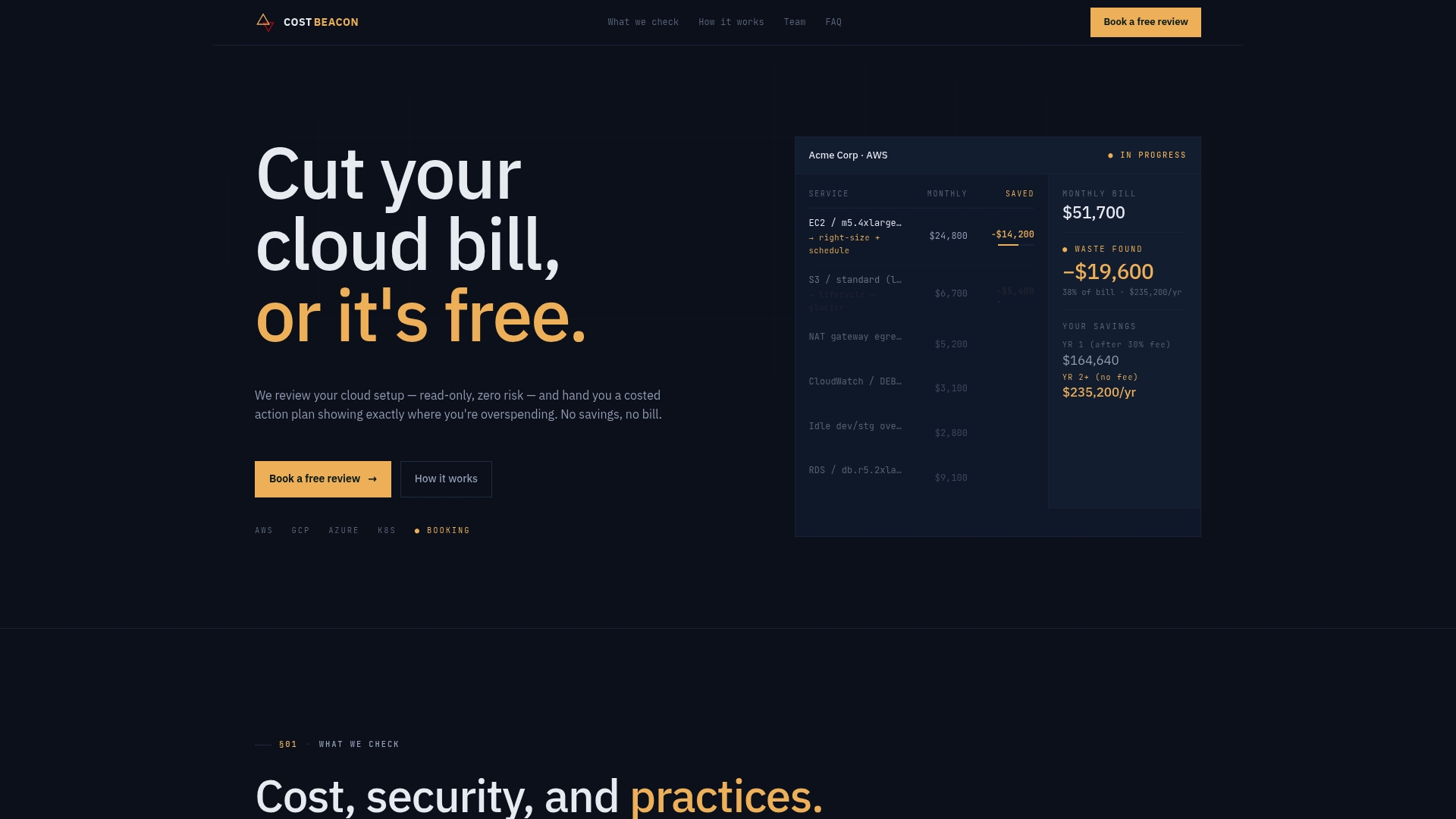
The audit includes discovery of every cost leak in your EKS environment, a prioritised savings plan with expected savings per item, and optional implementation support if your team wants hands-on help executing the fixes rather than just the recommendations. Every finding is validated with a savings report once changes go live, so finance sees real numbers, not projections.
The commercial model is risk-free: Cost Beacon only invoices a percentage of savings you actually realise, with no upfront fee and no retainer. If you want a read-only audit of your EKS environment, start with Cost Beacon’s cloud cost review and see what a prioritised savings plan looks like for your cluster.
Frequently asked questions
What is the fastest way to reduce EKS costs? Rightsizing pod CPU and memory requests based on 90th percentile utilisation data delivers the fastest, lowest-risk savings, typically visible within a single billing cycle.
Does Karpenter save more money than Cluster Autoscaler? Karpenter generally delivers higher savings through dynamic instance selection and aggressive consolidation, but Cluster Autoscaler is the safer starting point for teams new to autoscaler tuning.
How much can Compute Savings Plans save on EKS? Compute Savings Plans can reduce EC2 costs by up to 52 to 72% compared to On-Demand pricing, depending on the term and commitment level chosen.
Why isn’t EKS Auto Mode consolidating my nodes?
The most common causes are the karpenter.sh/do-not-disrupt annotation left on workloads by default and PodDisruptionBudgets set too strictly to allow safe eviction.
Do I need both Kubecost and AWS Cost Explorer? Yes, ideally. Cost Explorer gives account-level billing totals; a Kubernetes-native tool like Kubecost or OpenCost provides the pod-level attribution needed to assign cost to specific teams and services.
This article is general information, not a substitute for advice from a qualified financial advisor. Consult a qualified financial professional about your own circumstances before acting on anything here.
Sources
- Compute Savings Plans pricing
- OpenCost — open source cost monitoring for cloud native environments
- What is FinOps?
Recommended
Aaditya works on cloud cost and platform engineering at Cost Beacon, mostly on AWS and Kubernetes estates that grew faster than anyone planned for.
 Cost Beacon