Three moves drive most of the savings available on any Azure SQL bill: rightsizing oversized or idle vCores and consolidating variable workloads into elastic pools or serverless, applying reservations and Azure Hybrid Benefit against steady baseline compute, and switching intermittent or dev/test workloads to serverless or scheduled stop/start. Run them in that order. Rightsizing removes waste you’re already paying for, reservations lock in a discount on what’s left, and serverless (or a stop/start schedule) stops you from paying full price for databases that sit idle most of the day.
Azure SQL cost optimization done this way is not a one-time cleanup. It’s a repeatable audit cycle, and each lever suits a different workload shape.
- Rightsizing and pooling: best for over-provisioned General Purpose or Business Critical databases running consistently under 40% CPU. Savings often land in a range that can be roughly estimated as between one-fifth and two-fifths of the affected database’s compute line.
- Reservations plus Azure Hybrid Benefit: best for production databases with a stable baseline load you can commit to for a year or more. Combining reservation pricing with Azure Hybrid Benefit can unlock deeper discounts than either lever alone.
- Serverless or scheduled pause: best for dev/test, staging, and spiky single databases. The serverless compute tier has cut costs by nearly 70% in some enterprise cases where usage was genuinely intermittent.
Pro Tip: Before you touch a single SKU, snapshot 30 days of CPU, memory, and I/O metrics. If you can’t roll back a change within five minutes by reverting a service-tier setting, don’t make it during business hours.
TL;DR:
- Rightsizing should target databases under 40% CPU and 60% memory over a full business cycle to avoid performance risks.
- Serverless compute often cuts costs by nearly 70% for spiky or infrequently used databases compared to fixed provisioned tiers.
- Reservations combined with Azure Hybrid Benefit can save up to roughly 55% on steady baseline workloads, but require staged purchasing based on validated usage.
- Monitoring should include storage, backups, replicas, and zones, as these can silently inflate costs, especially for long-term retention and read-only replicas.
- A staged, measurement-based approach, including idle database cleanup and reservation modeling, produces the largest savings with minimal risk.
Table of Contents
- What is the difference between vCore and DTU pricing for cost optimization?
- What actually drives your Azure SQL bill?
- Which cost levers deliver the biggest savings, and how do you apply them?
- How do you monitor Azure SQL spend without losing visibility?
- What cost controls are specific to Azure SQL Managed Instance?
- How do you estimate savings before buying a reservation?
- What does a prioritized Azure SQL cost audit actually look like?
- Why staged optimization beats a single big cost-cutting push
- Get a risk-free Azure SQL cost audit
- Key takeaways
- Sources
What is the difference between vCore and DTU pricing for cost optimization?
vCore pricing separates compute and storage into independent, scalable units, and it’s the model Microsoft recommends for anyone doing serious Azure SQL cost optimization work. DTU pricing bundles compute, memory, and I/O into a fixed ratio, which is simpler to buy but far harder to right-size.
The vCore model matters for cost control for one specific reason: it maps directly to on-premises hardware specs. If your current SQL Server box runs 8 physical cores with 32 GB of RAM, you can translate that almost directly into a vCore count and memory ratio, rather than guessing which DTU tier approximates your workload. Vcore also unlocks Azure Hybrid Benefit, which DTU pricing does not support at all. That alone rules DTU out for any team holding existing SQL Server licenses with Software Assurance.
DTU still has a place. It works for small, predictable workloads, proof-of-concept databases, or teams migrating a legacy app where nobody wants to spend engineering time modeling vCore ratios. If the database is small and stable, and nobody on the team plans to fine-tune performance tiers, DTU’s flat bundle avoids unnecessary complexity.
Where the real savings show up is in the third dimension: provisioned versus serverless compute.
- Provisioned compute bills a fixed rate per hour regardless of utilization. It’s the right call for databases that run busy most hours of the day, because the per-second serverless rate would exceed the flat provisioned rate once utilization climbs past a certain point.
- Serverless compute auto-scales within a defined vCore range and auto-pauses after a configurable idle period, billing per second only for the compute actually used. Serverless tends to save the most on spiky or infrequently used single databases, while provisioned compute stays cheaper for databases with consistently high utilization.
If it looks like a heartbeat, spiking during business hours and flatlining overnight, serverless wins, and often by a wide margin.
What actually drives your Azure SQL bill?
Compute is the meter DBAs watch, but it’s rarely the only line item inflating the invoice. Four billing components combine to produce the total: compute (provisioned or serverless), compute for readable secondary replicas, data and log storage, and backup storage, including long-term retention.
Compute billing itself has a nuance that trips up a lot of teams. Provisioned compute bills per hour; serverless bills per second based on the maximum of vCPU usage and normalized memory usage during that second. If your serverless auto-pause delay is set too conservatively, or your minimum vCore floor is set too high, you can end up paying something close to provisioned rates without getting provisioned performance. Check the serverless billing mechanics before assuming serverless is automatically cheaper for a given workload.
Business Critical tier is where the biggest surprise hides. That tier maintains multiple synchronous replicas for high availability, and Microsoft’s own purchasing documentation notes the practical cost impact runs roughly 2.7 times the equivalent General Purpose price once you account for those extra replicas. If a workload doesn’t genuinely need sub-second failover, that premium is pure overspend.
The line items that catch teams off guard most often:
- Readable secondary replicas bill as additional compute, even when they’re used only for reporting offload.
- Backup storage beyond the included allowance bills per gigabyte, and long-term retention (LTR) policies that keep weekly, monthly, or yearly backups for compliance can quietly become one of the largest storage charges on the account.
- Zone-redundant configuration adds a cost premium for the extra replica placement across availability zones, whether or not a zone failure ever happens.
- Geo-replication and failover groups double compute costs for the secondary region, active or not.
None of these show up as a single alarming spike. They accumulate meter by meter, which is exactly why a line-by-line billing export matters more than eyeballing the monthly total.
Which cost levers deliver the biggest savings, and how do you apply them?
Work through these five levers in priority order. Each one includes the decision rule that tells you whether it applies to a given database.
-
Rightsize before anything else. Pull 30 days of CPU, memory, and I/O metrics from Azure Monitor for every database. Any database running under 40% peak CPU and under 60% peak memory for that entire window is a rightsizing candidate. Downsize one tier, monitor for a full business cycle (including month-end or quarter-end batch jobs), and only then downsize again if headroom remains. Never rightsize based on a single day of metrics; batch jobs and reporting cycles distort daily averages.
-
Move spiky and dev/test workloads to serverless. Serverless fits databases where usage is genuinely intermittent, not just “sometimes lower.” Set the auto-pause delay based on real idle patterns (60 minutes is a common starting point for internal tools) and set the minimum vCore floor as low as the workload’s baseline query load allows. Watch for auto-scale minimums that keep the database billing near its ceiling around the clock; that erases the savings serverless is supposed to deliver.
-
Buy reservations against your stable baseline, not your peak. Reserved capacity applies a one or three year discount to a committed amount of compute, scoped by region, deployment type, performance tier, and hardware generation. Reserved capacity should cover only the portion of usage you’re confident will persist. A three-year term earns a deeper discount but locks you in longer; a one-year term is the safer choice for teams still consolidating workloads or expecting architecture changes.
-
Layer Azure Hybrid Benefit on top of reservations wherever license eligibility allows. If your organization holds SQL Server licenses with active Software Assurance, Azure Hybrid Benefit reduces the compute rate substantially, and Managed Instance customers have reported savings up to roughly 55% when combining Hybrid Benefit with the right instance sizing. Dev/test subscriptions carry separately discounted rates and should host every non-production database without exception. For disaster recovery, a passive standby replica under Hybrid Benefit licensing costs far less than an always-on secondary sized for full production load.
-
Consolidate before you scale up. Elastic pools let multiple databases with complementary usage patterns share a pool of vCores instead of each paying for its own peak capacity. This works best when databases have staggered busy periods, so their peaks don’t overlap. Read-scale-out offloads reporting queries to a secondary replica that’s often already provisioned, avoiding a separate reporting server. Storage tier choice matters too: cool or archive-eligible data sitting in premium storage tiers is a quiet, recurring overspend that rightsizing compute alone never touches.
Pro Tip: Run rightsizing and reservation purchases as two separate projects with a gap between them. Buy reservations for a database you’re about to shrink and you’ve just locked in a discount on capacity you no longer need.
How do you monitor Azure SQL spend without losing visibility?
Cost Management and Azure Advisor are the two tools that turn a monthly bill shock into a manageable, ongoing process. Azure Cost Management provides cost analysis and scheduled exports that break spend down by resource, meter, and tag, which is the raw material for every optimization decision in this article.

Set up a recurring export, grouped by resource group and tagged by environment (production, staging, dev/test), and you have a baseline within one billing cycle. Without that baseline, every optimization conversation is a guess.
Azure Advisor generates recommendations automatically, most commonly flagging idle databases, oversized SKUs relative to actual utilization, and reservation opportunities based on sustained usage. Not every Advisor recommendation should be applied blindly. Triage them against your own utilization data first: an Advisor rightsizing suggestion that ignores a monthly batch job spike will cause an outage if applied automatically.
Budgets and tagging close the loop. A budget alert set at 80% of expected monthly spend catches runaway costs before the invoice does, and consistent tagging (owner, environment, cost center) is what makes an alert actionable instead of just noisy.
| Tool | Primary use |
|---|---|
| Cost Management exports | Build a spend baseline by resource and meter |
| Azure Advisor | Surface idle, oversized, and reservation-eligible resources |
| Budgets and alerts | Catch cost regressions before the billing cycle closes |
| Resource tagging | Attribute spend to owners and environments for accountability |
Change-control gates matter as much as the tooling. Require an approval step for any manual tier upscale in production, and you close the most common source of accidental cost creep: a developer bumping a tier “temporarily” during an incident and forgetting to revert it.
What cost controls are specific to Azure SQL Managed Instance?
Managed Instance carries its own set of savings mechanics beyond what applies to single databases, and missing them leaves real money on the table. Instance pools let several smaller managed instances share a reserved capacity allocation, which simplifies reservation purchasing when you’re running many small instances instead of a few large ones.
Azure Hybrid Benefit applies to Managed Instance the same way it does to single databases, and customers with Software Assurance have reported savings up to roughly 55% when license eligibility and virtualization ratios line up correctly. Virtualization ratio matters here specifically: Managed Instance licensing is priced per physical core based on the underlying hardware’s core ratio, so getting that math wrong either overpays for licenses or risks compliance gaps.
- Stop/start for dev/test instances removes compute billing entirely during nights and weekends, a meaningful cut for any non-production Managed Instance running on a normal business schedule.
- Read-scale-out in Business Critical tier offloads reporting and analytics queries to a secondary replica you’re already paying for, avoiding a second provisioned resource.
- Reservation scope on pools versus single instances differs: pool-level reservations spread coverage across every instance in the pool, which suits environments with many small, variable-sized instances better than buying separate reservations per instance.
- Right-sizing for Managed Instance should weigh vCore count against actual concurrent connection load and tempdb usage, not just CPU, since Managed Instance workloads often carry heavier connection and tempdb overhead than single databases doing similar work.
How do you estimate savings before buying a reservation?
Reservations are a financial commitment, not a configuration toggle, so model the savings before you commit budget. Four steps get you there.
- Export billing data by meter and map each line item to the specific SQL resource generating it. This is the same export used for the monitoring baseline, just filtered to compute meters specifically.
- Calculate baseline usage. Determine the minimum vCore count your production workloads run consistently, hour by hour, across at least 30 days. This is your reservation coverage floor, not your peak.
- Run a sensitivity check. Model what happens if traffic drops 20% or a workload migrates off the platform mid-term. A conservative coverage target, sized below your comfortable baseline rather than at it, protects against paying for reserved capacity you no longer use.
- Buy in the correct scope and monitor coverage after purchase. Reservations apply by region, deployment type, performance tier, and hardware generation, and Microsoft recommends staged purchases rather than committing to full coverage in a single transaction.
| Step | What you produce |
|---|---|
| Billing export by meter | A resource-level map of current compute spend |
| Baseline calculation | The vCore floor eligible for reservation coverage |
| Sensitivity analysis | A conservative coverage target that survives traffic drops |
| Staged purchase | Reservation coverage matched to validated, sustained usage |
Staged purchasing beats a single large commitment almost every time. Buy reservations to cover 60% of your calculated baseline first, watch actual coverage utilization in Cost Management for a full billing cycle, then top up. That sequence protects you from locking in a discount on capacity that turns out to be temporary.
What does a prioritized Azure SQL cost audit actually look like?
A working audit starts with measurement, not a spreadsheet of ideas. Pull 30 days of CPU, memory, IOPS, and connection count per database, cross-reference against the billing export by meter, and flag every database below 40% peak utilization as a rightsizing candidate.
Score every candidate action against three factors: savings impact, engineering effort to implement, and risk of a performance regression. A database sitting at 15% CPU utilization scores high impact and low effort; a Business Critical production database with strict SLA requirements scores high risk even if the potential savings are large, and belongs later in the sequence, staged and tested.
- Idle and rarely used database sweep (impact: high, effort: low, risk: low). Query Cost Management for databases with near-zero DTU or vCore consumption over 30 days; pause or delete them.
- Dev/test consolidation into serverless or scheduled stop/start (impact: medium to high, effort: low, risk: low).
- Rightsizing production General Purpose databases (impact: high, effort: medium, risk: medium; requires a full business cycle of monitoring before and after).
- Reservation purchase against validated baseline (impact: high, effort: medium, risk: low once staged).
- Business Critical tier review (impact: high, effort: high, risk: high; requires confirming the SLA actually needs synchronous replicas before touching it).
Pro Tip: *Run the idle-database sweep first, every time.
Cost Beacon runs this exact sequence as an outsourced, pay-on-savings audit, combining AI-driven analysis of your billing and utilization data with hands-on engineering review, and has produced an average 32% bill reduction across clients in fintech, telecom, and other industries, without an upfront fee.
Why staged optimization beats a single big cost-cutting push
Most teams treat cost optimization as a one-time project: pick a target percentage, implement everything at once, move on. That approach usually backfires, because rightsizing and reservations both carry real performance risk if you skip the measurement step, and a rushed downsizing during a busy quarter can cost more in incident response than it saves on the invoice.
The trade-off nobody likes to say out loud: the safest optimizations (idle database cleanup, dev/test scheduling) are also the smallest ones. The biggest dollar savings live in Business Critical tier reviews and reservation commitments, and those require patience, a full business cycle of data, and staged rollout. Rushing that stage is how teams end up under-provisioned during month-end processing.
Cost Beacon’s engineering-validated approach exists precisely because AI-driven billing analysis alone misses workload context that only a human reviewing query patterns and SLA requirements can catch, and the pay-on-savings structure means that validation happens before anyone commits budget.
— Aaditya Parashar
Get a risk-free Azure SQL cost audit
Rightsizing and reservation modeling require dedicated engineering time, especially across diverse environments. Cost Beacon offers auditing services combining AI-driven billing analysis with engineering review to find optimization opportunities across multiple cloud environments.
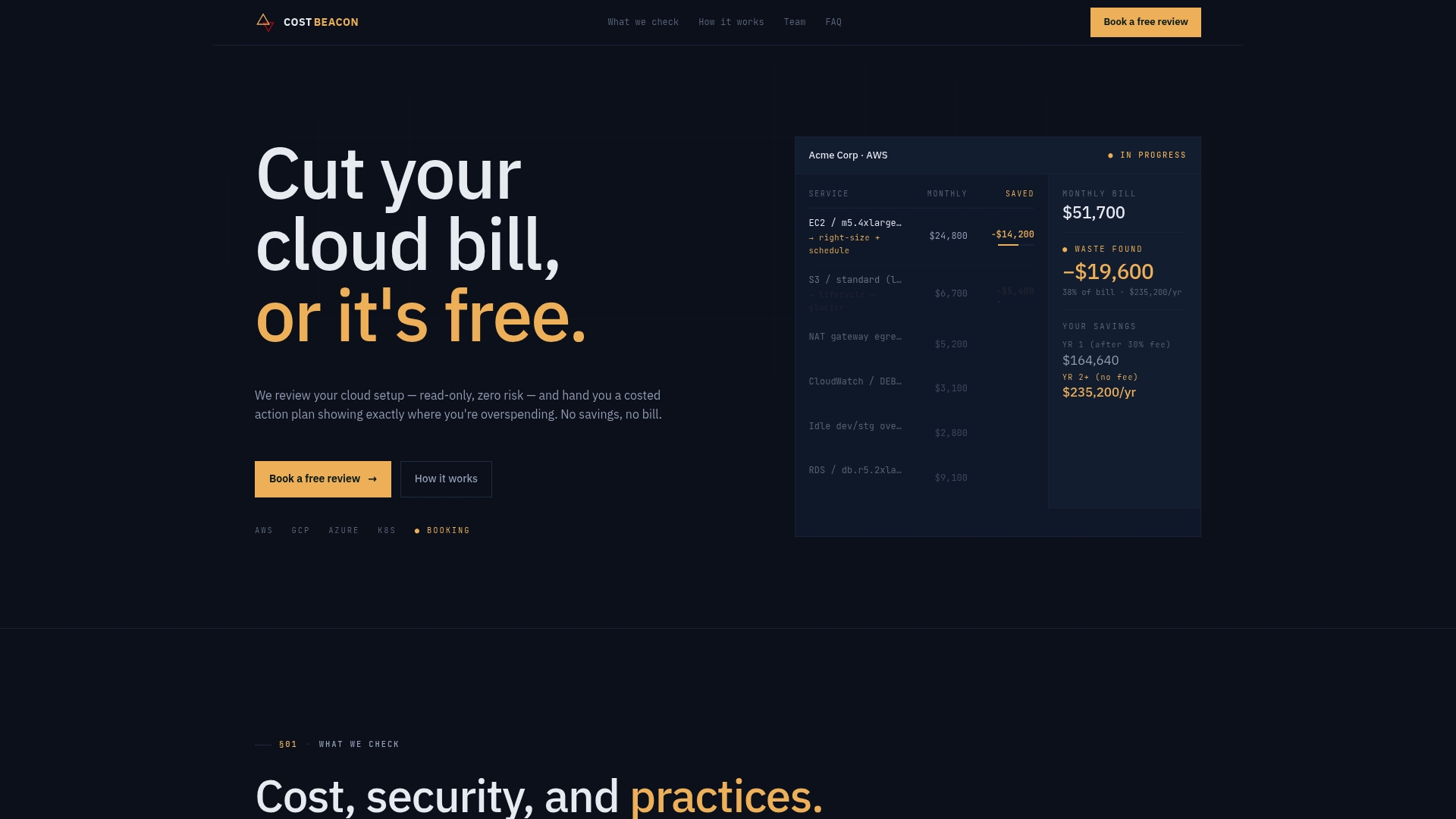
The engagement includes a prioritized action plan with expected savings per line item, the same structure this article walked through, but scoped to your actual billing export and utilization data. Cost Beacon’s clients have reported significant bill reductions across industries including fintech and telecom, and the billing model is pay-on-savings only: no upfront fee, no retainer, and a fee based strictly on savings you actually realize. Teams weighing whether to bring in Microsoft-focused implementation help alongside the audit can also look at Microsoft Fabric consulting services for deeper architecture work.
If your Azure SQL estate has grown without a recent cost review, start a risk-free audit with Cost Beacon and get a prioritized savings plan before you commit budget to anything else.

Key takeaways
Rightsizing, reservations paired with Azure Hybrid Benefit, and serverless for intermittent workloads together produce the largest and fastest Azure SQL savings when applied in that sequence with measurement first.
| Point | Details |
|---|---|
| Measure before you change anything | Pull 30 days of CPU, memory, and I/O data before rightsizing or buying reservations. |
| Match purchasing model to workload shape | Use vCore with Azure Hybrid Benefit for steady loads; serverless for spiky or intermittent ones. |
| Watch replica and backup meters | Business Critical replicas and long-term retention backups often drive unexpected cost. |
| Stage reservation purchases | Cover a conservative baseline first, then top up after validating coverage in Cost Management. |
| Consider a pay-on-savings audit | Cost Beacon has delivered an average 32% bill reduction with no upfront fee across industries. |
Sources
Recommended
Aaditya works on cloud cost and platform engineering at Cost Beacon, mostly on AWS and Kubernetes estates that grew faster than anyone planned for.
 Cost Beacon