Five steps to estimate and cut Azure Blob Storage cost for architects
Your Azure Blob Storage bill comes down to five inputs: storage tier and volume in GB-month, operation counts per 10,000 calls, data egress in GB, retrieval fees on cool and archive tiers, and feature meters like blob index tags. Multiply GB stored by the per-GB tier price, add expected monthly operations and egress, and you have a working estimate before you touch a single optimization. From there, lifecycle policies and reserved capacity are what turn a rough number into a controlled one.
TL;DR:
- Data storage costs vary by actual GiB used and the physical tier of data, not the intended tier, with archiving and rehydration incurring additional fees.
- Operations, including tier changes and small-object transactions, are billed per 10,000 calls and can surpass storage costs significantly on small or active datasets.
- Lifecycle policies can trigger costly tier changes, deletions, and rehydration fees, especially if filters are broad or rehydration occurs unexpectedly.
- Reserved capacity discounts only become economical for large, stable volumes exceeding around 82 TB for a 1-year cool tier commitment, and they do not apply across all tiers simultaneously.
- A structured approach—tagging, precise lifecycle rules, monitoring detailed bills—can reduce Blob Storage bills by an average of 32%, with external audits like Cost Beacon further optimizing costs.
Table of Contents
- What drives Azure Blob Storage cost on your monthly invoice
- How to estimate your monthly Azure Blob Storage bill
- Lifecycle management: policies, JSON rules, and where they go wrong
- Reserved capacity and volume discounts: when commitments pay off
- Hidden costs and billing traps that catch architects off guard
- A cost optimization playbook that actually moves the needle
- Monitoring, budgets, and the tools that keep costs visible
- Quick reference: three sample scenarios and ballpark ranges
- Pragmatic trade-offs when you optimize blob storage costs
- How Cost Beacon turns this analysis into realized savings
- Sources
What drives Azure Blob Storage cost on your monthly invoice
Every dollar on a Blob Storage invoice traces back to one of five meter categories, and most teams only budget for one of them: raw storage. That’s the mistake. Microsoft’s own guidance on planning and managing storage costs breaks billing into storage, operations, data transfer, retrieval, and feature meters, and each behaves differently enough that lumping them together produces bad forecasts.
Data storage is billed on average daily volume, measured in GiB (gibibytes, 2^30 bytes), not the decimal GB most sales materials use. That distinction matters at scale: a workload you think of as “500 TB” is actually a slightly larger number of GiB once you convert, and at enterprise volumes that gap shows up as real dollars on the invoice. Azure also bills based on the tier the data physically sits in, not the tier you intended, so a blob you meant to archive but never transitioned still bills at hot rates.
Operations are billed per 10,000 transactions, and the rate depends on the operation category, not the operation itself. Write operations, list and container operations, and read/other operations each have separate pricing, and they diverge sharply between tiers, archive read operations cost far more per 10,000 than hot tier reads. If you’re estimating costs for a custom application or migration tool, Microsoft’s mapping of REST operations to pricing categories is the reference to use, since a single API call like PutBlob or GetBlob maps to a specific billable category that isn’t always obvious from the method name.
Data transfer charges apply mostly to egress, and the scenario matters:
- Data moving out of an Azure region to the internet or another region incurs standard egress rates.
- Intra-region transfer between services in the same region is typically free.
- Geo-redundant configurations (GRS, RA-GRS) generate ongoing replication traffic between primary and secondary regions, which is billed separately from client-driven egress.
- Content delivery through a CDN or Front Door changes the transfer economics again, often reducing egress from the storage account itself.
Retrieval and early deletion are where cool and archive tiers bite. Reading data back out of cool tier carries a per-GB retrieval charge on top of the operation fee, and archive retrieval (rehydration) is both slower and considerably more expensive. Both tiers also carry minimum storage duration commitments. Delete a blob from archive before that window closes and you pay an early deletion penalty calculated on the remaining days.
Feature meters are the easiest to forget because they’re new-ish and easy to enable without thinking about billing. Blob index tags carry a small per-tag storage charge and enable filtered queries, but heavy tagging across millions of objects adds up. Change feed logs every blob mutation and bills for that log’s storage and the read operations against it. SFTP support and customer-managed encryption scopes both carry their own metering. None of these show up unless you specifically check for them in a billing export.
How to estimate your monthly Azure Blob Storage bill
A repeatable estimate beats a guess every time, and the process only takes five steps once you’ve done it once.
Step 1: Inventory data by access pattern. Group your objects by how often they’re actually read, not how you’d like to treat them. Logs accessed daily belong in hot. Compliance archives touched twice a year belong in archive. Be honest here, misclassifying an actively-read dataset as cool creates retrieval charges that erase any storage savings.
Step 2: Compute GB-month per tier. Take the average daily volume in each tier over a billing period and multiply by that tier’s per-GB rate. If 40 TB sits in hot and 60 TB sits in cool, you’re running two separate line-item calculations, not one blended average.
Step 3: Estimate transactions by category. Count expected writes, reads, and list operations per month, divide by 10,000, and multiply by the category’s per-unit rate. Microsoft’s cost-estimation guide walks through converting the published per-10,000 prices into per-operation costs, which matters when you’re modeling millions of small-object transactions where the operation line can outgrow the storage line.
Step 4: Add egress, replication, and feature meters. Layer in expected data transfer out of the region, replication traffic if you’re on GRS or RA-GRS, and any blob index or change feed usage.
Step 5: Model lifecycle transitions and reserved capacity. Project how volume shifts as lifecycle rules move data from hot to cool to archive over its life, and check whether your steady-state volume clears the threshold where reserved capacity pays for itself.
Here’s a simplified worked example using illustrative rates. Confirm actual pricing for your region and redundancy setting on the Azure Blob Storage pricing page before budgeting against these numbers.
Sum the rows and you land near $886 a month for this hypothetical account before feature meters or retrieval fees. Run the same table with your actual tier splits, operation counts, and region rates from the pricing calculator, and you have a defensible baseline to compare optimization scenarios against.
Lifecycle management: policies, JSON rules, and where they go wrong
Lifecycle policies are the single highest-leverage tool for controlling Azure storage cost, and they’re free to configure. Microsoft’s lifecycle management overview confirms the policy engine itself carries no charge, but every action that policy triggers, a tier change, a delete, generates a billable operation.
A policy is built from filters and actions. Filters scope the rule (by container prefix, blob type, or index tag); actions define what happens once a blob matches. A typical rule tiering log data to cool after a certain period and archive after a longer period looks like this:

{
  "rules": [
    {
      "name": "moveOldLogsToArchive",
      "enabled": true,
      "type": "Lifecycle",
      "definition": {
        "filters": {
          "blobTypes": ["blockBlob"],
          "prefixMatch": ["logs/"]
        },
        "actions": {
          "baseBlob": {
            "tierToCool": { "daysAfterModificationGreaterThan": 30 },
            "tierToArchive": { "daysAfterModificationGreaterThan": 90 },
            "delete": { "daysAfterModificationGreaterThan": 730 }
          }
        }
      }
    }
  ]
}
Four pitfalls consistently generate surprise line items:
- Broad prefix filters catch data you didn’t intend to move. A filter scoped to
logs/instead oflogs/2026/can sweep active files into archive alongside cold ones. Microsoft’s policy examples for tiering blobs between access tiers show how to scope filters tightly withprefixMatchand blob index tags rather than relying on date rules alone. - Set Blob Tier calls are billed operations, not free metadata edits. Moving a million objects from hot to archive in one policy run generates a million operation charges, small individually, but visible in aggregate on a large account.
- Rehydrating from archive is slow and expensive. Standard rehydration priority can take up to 15 hours; high-priority rehydration is faster but costs more per GB. Treat archive as a genuine one-way door for anything you might need back on short notice.
- Last-access tracking must be turned on deliberately. It isn’t enabled by default, and once it is, policy configuration documentation notes that access updates are billed as “other operations,” capped at roughly once every 24 hours per object but still a real cost on high-object-count accounts.
Early deletion penalties compound these mistakes. Cool and archive both carry minimum storage durations, so a lifecycle rule that deletes data at day 100 when the archive minimum is 180 days triggers an early deletion charge on top of whatever storage savings you thought you’d captured. Soft-delete and blob versioning add another wrinkle: a lifecycle rule tiering the current version doesn’t touch older versions sitting behind it, and those versions keep billing at their original tier unless a separate rule targets them explicitly.
Pro Tip: Before you enable enableAutoTierToHotFromCool, model what happens if a read-heavy burst automatically promotes a large cool-tier dataset back to hot. The feature is convenient for genuinely mixed-access data, but on a predictable archive workload it can quietly reverse months of tiering savings in a single busy week.
Reserved capacity and volume discounts: when commitments pay off
Reserved capacity locks in a discounted per-GB rate in exchange for a 1- or 3-year commitment, sold in fixed increments of 100 TB or 1 PB. It’s the closest thing Blob Storage has to a volume discount, and it only makes sense once your data volume is both large and stable.
The math is straightforward once you have a real GB-month baseline from your estimate. Microsoft’s cost-estimation documentation explains that there is a break-even volume in the cool tier for a 1-year reservation, where pay-as-you-go pricing usually wins below it, and reservations start saving money above it.
Before committing, weigh these factors:
- Increment size matters more than you’d expect. Reservations are sold in 100 TB or 1 PB blocks. A dataset sitting at 110 TB effectively wastes capacity unless it’s growing toward 200 TB within the term.
- Term length locks you in regardless of usage drift. A 3-year commitment on a dataset that shrinks after a product sunset leaves you paying for capacity you no longer need.
- Volatile or short-term datasets are poor candidates. Project-based storage, seasonal workloads, or anything with an unclear retention horizon should stay on pay-as-you-go until the pattern stabilizes.
- Lifecycle automation might get you most of the savings anyway. If your current spend is high because data sits in hot tier too long, fixing that with tiering rules can close much of the gap before you ever need to reserve capacity.
- Reservations apply per tier, not blended across your account. A reservation sized for cool tier doesn’t discount your hot or archive spend, so mixed-tier accounts need separate break-even math for each tier under consideration.
Hidden costs and billing traps that catch architects off guard
The line items that blow up a forecast are rarely the ones anyone budgeted for. Storage capacity is easy to predict; the surprises live in usage patterns nobody modeled.
- High-frequency list and get operations on small-object workloads rack up transaction charges fast. A workload storing millions of tiny files (thumbnails, IoT telemetry, log fragments) can rack up more in operations than in storage, because the per-object overhead of listing and reading dwarfs the per-object storage cost.
- Blob index tags and change feed both carry their own storage and scan charges. Index tags enable fast filtered queries but cost more as tag volume climbs into the millions of objects; change feed logs every mutation and bills separately for that log’s retention and any reads against it.
- Early deletion penalties and rehydration spikes from archive tier show up as sudden, unexplained charges weeks after a lifecycle policy runs, since the penalty calculation depends on how many days remain in the minimum storage commitment at the moment of deletion.
- Last-access tracking, once enabled, generates ongoing “other operation” charges that compound with account size and are easy to forget you turned on months earlier.
Cost Analysis inside Azure Cost Management is where these hide in plain sight. Filter by resource and drill into the meter breakdown rather than the top-line total, since a flat month-over-month storage number can mask a transaction cost that tripled underneath it. Billing exports, delivered as detailed CSVs, let you pivot by meter category and container prefix to attribute exactly which workload is driving which charge, which is the only reliable way to catch a change-feed or index-tag cost before it becomes a pattern.
A cost optimization playbook that actually moves the needle
Most teams optimize in the wrong order: they chase reserved capacity discounts before fixing the tiering mistakes that are costing them more every month. Sequence matters here, and this order reflects what tends to produce savings fastest with the least risk of breaking something.
- Inventory and tag everything first. You can’t optimize what you can’t attribute. Apply blob index tags or resource tags mapped to team, application, and environment before you touch a single lifecycle rule, otherwise you’ll optimize blind and won’t be able to prove savings afterward.
- Write lifecycle rules with tight guardrails. Scope filters by prefix and blob type rather than broad wildcards, and test each rule against a small container before applying it account-wide. A rule that’s too aggressive costs more in early deletion penalties than it saves in tiering.
- Reduce transaction noise before you touch storage tiers. If small-object workloads are generating heavy list and read operation volume, batch requests or restructure the access pattern first, tiering doesn’t help if the transaction line is your real problem.
- Evaluate reserved capacity only after tiering stabilizes. Run the break-even math against your post-lifecycle volume, not your current one, since tiering will shrink your hot-tier footprint and change which tier deserves the commitment.
- Put governance around future policy changes. Route any new lifecycle rule or tier change through a review step, ideally tied into your existing infrastructure-as-code pipeline, so a well-intentioned change doesn’t silently reintroduce cost.
Measuring impact is where a lot of this work quietly falls apart. Take a billing snapshot before you change anything, then compare it against a snapshot 60 to 90 days later, long enough for lifecycle transitions and their associated operation charges to settle into a steady state. Track the same meters you identified in Cost Analysis: storage GB by tier, operations by category, egress volume, and any feature meters you flagged. A reduction in the storage line paired with a spike in the operations line isn’t a win, it’s a cost shift, and only a full meter-by-meter comparison catches that.
This is close to the exact sequence Cost Beacon runs when a client engagement starts with a bloated Blob Storage bill buried inside a larger multi-cloud spend problem. The audit combines AI-driven analysis of billing exports with hands-on engineering review, because the tooling can flag a spike in “other operations,” but only an engineer looking at the workload can tell you whether that spike is a misconfigured last-access tracking setting or a genuine access pattern change that needs a different tiering strategy. Across engagements spanning fintech, telecom, and other industries, Cost Beacon’s audits have produced an average 32% reduction in cloud bills, and the model only invoices a percentage of savings actually realized. If nothing is saved, there’s no fee.
Pro Tip: Run your pre-optimization billing snapshot for a full 30-day cycle, not a partial week. Blob Storage billing includes average daily volume calculations and operation counts that can look wildly different depending on which week of the month you sample, especially around batch jobs or month-end reporting runs that spike transaction counts.
Monitoring, budgets, and the tools that keep costs visible
Azure Cost Management is the control center for everything covered so far, and most teams use it for exactly one thing: checking the current month’s total. That’s a fraction of what it does.
The pricing calculator is your forecasting tool before you provision anything new. Feed in expected GB by tier, operation counts, and redundancy setting, and it produces a region-specific estimate you can sanity-check against the invoice once real usage starts flowing.
For ongoing monitoring, a short set of practices covers most of what architects need:
- Set budgets scoped to the storage account or resource group, not the whole subscription, so a Blob Storage cost spike doesn’t get diluted inside broader compute spend and go unnoticed until the monthly total looks wrong.
- Turn on anomaly detection alerts, which flag unusual day-over-day cost changes automatically, catching a runaway lifecycle policy or an unexpected egress spike before it runs for a full billing cycle.
- Export detailed invoices on a recurring schedule and pipe them into whatever analysis tool your team already uses, since the raw CSV includes meter-level detail the portal’s summary views don’t surface.
- Filter and pivot by tag to attribute blob costs back to the team or application that generated them, which is the only way a shared storage account’s bill gets divided fairly across the groups using it.
- Cross-reference the pricing calculator’s regional rates whenever you’re evaluating a new region or redundancy tier, since official pricing varies meaningfully by geography and program, and last year’s assumption may already be stale.
Quick reference: three sample scenarios and ballpark ranges
Three common account sizes illustrate how the cost mix shifts as volume grows, using the same core formula throughout: GB-month × tier rate, plus operations per 10,000, plus egress per GB.
A 1 TB account running mostly in hot tier with light read traffic will be dominated by the storage line. At this scale, operations and egress are usually rounding errors unless the workload involves frequent small-file access, in which case transaction costs can unexpectedly become the larger line item.
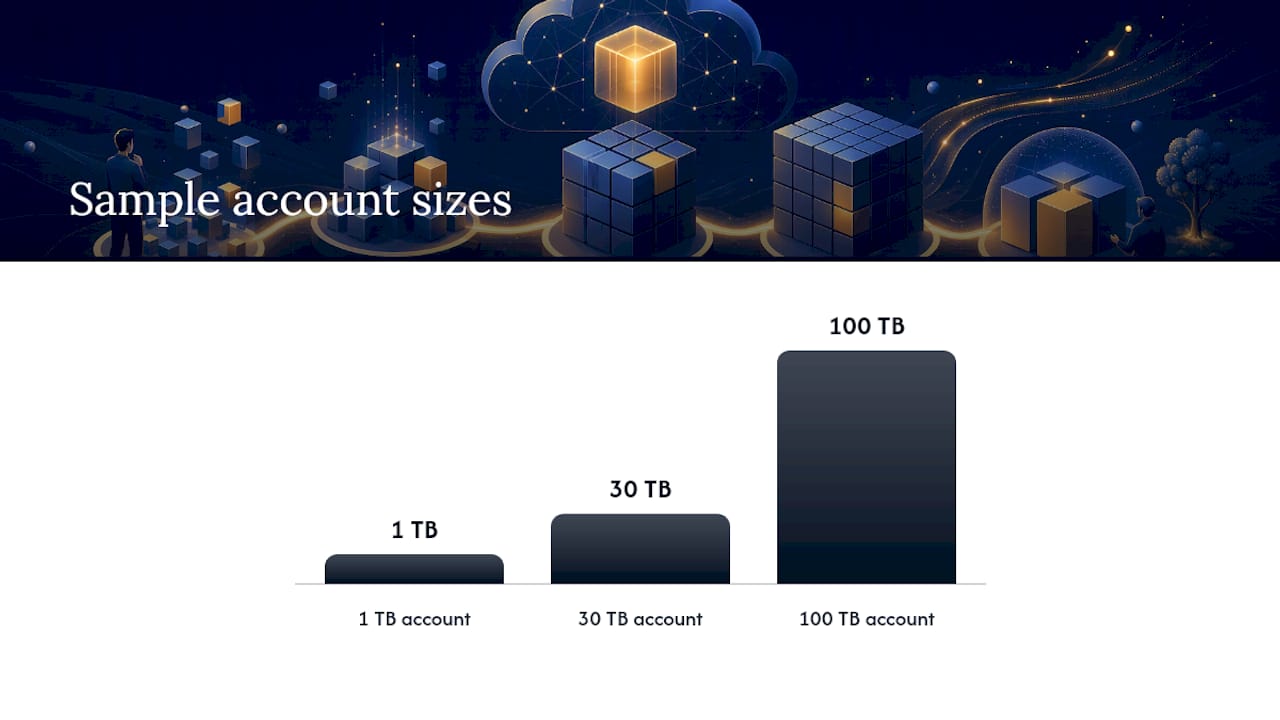
A 30 TB account split across hot and cool tiers starts to show lifecycle policy value clearly. Moving the cool-eligible portion out of hot typically cuts the storage line meaningfully, but only if the Set Blob Tier operation charges from the transition itself are modeled against that savings, since a poorly scoped policy can eat into the gain.
A 100 TB account with meaningful archive usage is where reserved capacity and rehydration risk both become real considerations. This is the volume range where the break-even math for reserved capacity (roughly 82 TB for a 1-year cool tier commitment, per Microsoft’s example) starts to apply, and where an accidental archive rehydration event can produce a bill spike large enough to warrant its own postmortem.
| Tier | Typical per-GB range (illustrative) | Common operation volume assumption |
|---|---|---|
| Hot | Highest per-GB storage rate | High read/write frequency |
| Cool | Mid-range per-GB storage rate | Moderate access, retrieval fee applies |
| Archive | Lowest per-GB storage rate | Rare access, rehydration required to read |
Treat these ranges as a sanity check only. Confirm exact, region-specific numbers against the Azure pricing calculator before building a budget around them, since redundancy choice (LRS versus GRS versus RA-GRS versus ZRS) shifts every one of these rates independently. LRS is cheapest but keeps a single regional copy; GRS and RA-GRS replicate to a secondary region and add both storage and replication-related transfer costs; ZRS spreads copies across availability zones within a region at a price point between LRS and geo-redundant options. The right choice depends on your recovery requirements, not just the sticker price.
Pragmatic trade-offs when you optimize blob storage costs
The instinct among architects is to chase the theoretically optimal tiering policy, and that instinct usually costs more than it saves. A slightly conservative lifecycle rule that moves data to cool a bit later than the mathematically ideal point avoids early deletion penalties and rehydration surprises far more reliably than a rule tuned to the exact break-even day.
Quick wins, tagging, fixing an obviously misconfigured tier, killing an unused change feed, should happen this week. Structural changes like reserved capacity commitments deserve a full billing cycle of clean data first. In-house teams can usually handle the tagging and lifecycle work themselves. Where it gets harder is diagnosing why operations costs don’t match expectations across a sprawling multi-account setup, that’s usually where an outside audit earns its fee faster than another month of internal guesswork.
— Aaditya Parashar
How Cost Beacon turns this analysis into realized savings
Reading a cost breakdown is one thing. Actually finding every misconfigured lifecycle rule, forgotten change feed, and oversized reservation across a real production environment is another. Cost Beacon exists for that gap: a pay-on-savings audit that combines AI-driven billing analysis with engineers who actually read the workload behind the numbers, across AWS, Azure, GCP, and Kubernetes environments alike.

The deliverable is a prioritized action plan listing every identified saving opportunity with an estimated dollar impact per item, so you know exactly what to fix first and what it’s worth before you commit engineering time to it. Optional implementation support is available if your team wants Cost Beacon’s engineers to execute the changes rather than hand off a document. The engagement model stays simple: Cost Beacon only invoices a percentage of savings you actually realize, and clients across industries from fintech to telecom have seen an average 32% bill reduction from this process. No upfront fee, no retainer, no savings means no bill. If your Blob Storage costs, or your broader cloud spend, look higher than they should, request a review from Cost Beacon and expect a prioritized savings plan back well before your next billing cycle closes.
Sources
Aaditya works on cloud cost and platform engineering at Cost Beacon, mostly on AWS and Kubernetes estates that grew faster than anyone planned for.
 Cost Beacon