Cost allocation tags let you slice AWS spend by project, team, or cost center, but they do nothing until you activate them. Once activated in Billing and Cost Management, those key/value pairs flow into Cost Explorer, the Cost and Usage Report, and Budgets, helping you turn a flat monthly invoice into an attribution model you can use effectively.
TL;DR:
- Only activate the most valuable cost allocation tags first, and wait up to 48 hours to verify they appear correctly in Cost Explorer.
- Use a small, mandatory set of keys such as costcenter, project, environment, and owner to ensure tagging consistency over time.
- Be aware that some charges and costs cannot be tagged at all, and AWS-generated tags depend on CloudTrail logs, which may lead to gaps.
- Keep in mind that tags are not retrospective, and moving accounts may reset active tag status, requiring reactivation.
- Regularly run compliance scans and automate enforcement to maintain accurate and trustworthy tagging, which is essential for effective attribution.
Table of Contents
- What are AWS cost allocation tags?
- How to activate cost allocation tags in AWS
- Tagging best practices and governance that hold up
- Limitations and quotas you need to plan around
- Turning tagged data into reports: Cost Explorer, CUR, and Cost Categories
- Ongoing maintenance: keeping tags accurate as things change
- Implementing tagging at scale: what actually moves the needle
- Get a full cloud cost and security review from Cost Beacon
- Sources
What are AWS cost allocation tags?
A cost allocation tag is a key/value label attached to a resource, like project: falcon or costcenter: 4410, that AWS carries through to your billing data once you turn it on. Cost allocation tags come in two flavors, and the difference matters more than most teams assume.
User-defined tags are the ones you or your provisioning tools apply, prefixed internally as user: in reports. AWS-generated tags, prefixed aws:, are created automatically, such as aws:createdBy, which identifies who launched a resource. Both categories require separate activation. Tag keys must be unique per resource, support letters, numbers, spaces, and a handful of symbols, and are case-sensitive.
Once active, tags surface in four places: Cost Explorer’s grouping and filtering options, the Cost and Usage Report (CUR), AWS Budgets scoped to a tag value, and the monthly cost allocation report available for download in the billing console.

How to activate cost allocation tags in AWS
Activation is a one-time setup per tag key, but the workflow has a few moving parts worth getting right the first time.
- Tag your resources first. Use Tag Editor to search across regions and services, then apply keys in bulk instead of hunting through individual consoles.
- Open Billing and Cost Management. Navigate to the “cost allocation tags” page, where AWS lists every user-defined and AWS-generated key it has detected.
- Activate the keys you need. Select the keys and confirm. For large environments, the
UpdateCostAllocationTagsStatusAPI lets you activate tags programmatically instead of clicking through the console one key at a time. - Wait for propagation. A new tag key can take up to 24 hours to appear for activation, and once activated, up to another 24 hours before it shows up in Cost Explorer or the CUR.
- Activate from the management account. If you run AWS Organizations, only the payer (management) account can activate cost allocation tags. Member accounts cannot do this on their own.
Pro Tip: Activate a handful of high-value keys first, confirm they appear correctly in Cost Explorer after 48 hours, then expand your list. Activating dozens of speculative tags at once makes troubleshooting a reporting gap much harder.
Tagging best practices and governance that hold up
A tagging scheme that works on day one and collapses by month six is worse than no scheme at all. AWS’s own tagging best-practices whitepaper points to a small, mandatory set of keys enforced consistently, rather than a sprawling list nobody follows.
- Set a mandatory minimum:
costcenter,project,environment, andownercover most attribution needs without overwhelming provisioning teams. - Write the schema down and version it. A shared document (or a repo) defines allowed keys, allowed values, and who owns changes.
- Use AWS Organizations tag policies to enforce compliant values across accounts and reject resources that don’t conform.
- Automate enforcement at provisioning, whether through infrastructure-as-code templates, service catalog rules, or CI/CD guardrails that block untagged deploys.
- Keep value vocabularies small and closed. “Production,” “staging,” “dev” beats letting every engineer invent their own spelling of “prod.”
- Never put sensitive data in a tag value. Billing and reporting surfaces are visible broadly inside an organization, so tags are not the place for names, emails, or internal identifiers tied to people.
Pro Tip: Assign one owner per tagging domain, cost, security, or compliance, rather than leaving the schema as a shared responsibility nobody actually maintains.
Treat tagging as governance, not decoration. The AWS cost allocation guidance frames this as a shift from showback (just displaying costs) to chargeback (making teams accountable for them), and that shift only works if the underlying keys are trustworthy.
Limitations and quotas you need to plan around
Tags are powerful, but they come with real boundaries that catch teams off guard.
- Cost allocation tags are not retrospective. Any spend that happened before you activated a key stays untagged in your reports permanently.
- Some charges can’t be tagged at all. Support plan fees, certain Marketplace charges, and other account-level line items don’t attach to a resource tag.
- AWS-generated tags depend on CloudTrail. Because
aws:createdByand similar tags are populated from CloudTrail events, gaps in logging history mean gaps in the tag, and these tags often don’t show up in Tag Editor at all. - There’s a quota on active cost allocation tag keys. AWS caps how many keys you can activate for billing purposes, so plan your mandatory list before you start clicking “activate” on everything.
- Moving accounts resets activation. When a member account switches AWS Organizations, previously active tags lose that status and the new management account has to reactivate them.
Turning tagged data into reports: Cost Explorer, CUR, and Cost Categories
Tags only pay off once you build repeatable reporting on top of them. Most teams land on a three-layer workflow.
- Cost Explorer for quick answers. Group by tag key, save the view, and you have a live snapshot for a monthly showback meeting without touching a spreadsheet.
- CUR for deep analysis. Export the Cost and Usage Report to S3, then query it with Athena or visualize it in QuickSight for chargeback-ready CSVs finance can reconcile against invoices.
- Cost Categories for the gaps. Not everything can carry a tag. Cost Categories let you map untaggable charges, like Support fees, or aggregate several tag values into one business-facing grouping, such as rolling three engineering teams into a single “platform” category.
A hybrid model, account structure plus tags plus Cost Categories, is what AWS’s own well-architected guidance recommends for teams that need attribution accuracy without forcing every resource into a rigid tagging mold.
Ongoing maintenance: keeping tags accurate as things change
Tagging degrades the moment you stop watching it. Treat maintenance as a recurring process, not a one-time project.
- Run compliance scans on a schedule. AWS Config rules or scheduled CUR queries can flag untagged or mistagged resources weekly instead of at quarter-end.
- Automate remediation where possible. Deploy-time checks that block a launch with a missing mandatory tag catch problems before they hit the bill.
- Reconcile partial-month changes. When a tag value changes mid-cycle, AWS splits that resource’s billing line across the old and new value, so your reconciliation process needs to expect split rows, not a clean single total.
- Backfill with mapping rules, not guesswork. For historical gaps, build rules that infer tags from account ID, service, or naming convention, then apply them through Cost Categories rather than trying to retroactively tag resources that no longer exist.
Pro Tip: Keep a standing “untagged spend” report in Cost Explorer as a permanent fixture. A rising untagged percentage is usually the first sign that a provisioning pipeline has drifted from your tagging policy.
Implementing tagging at scale: what actually moves the needle
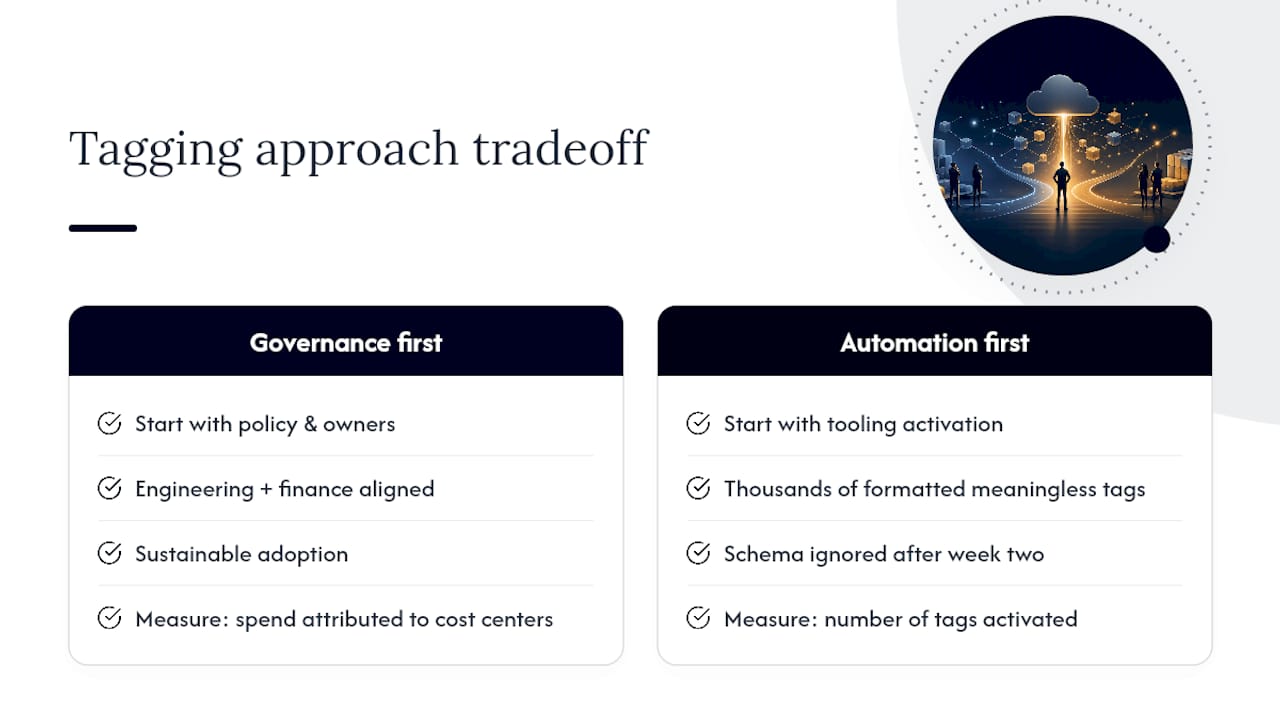
Most tagging programs fail on governance, not tooling. The console makes activation trivial, but getting engineering and finance to agree on four mandatory keys takes longer than any technical step in this guide. Automation without governance produces thousands of consistently formatted, meaningless tags. Governance without automation produces a beautiful schema nobody follows past week two. You need both, in that order.
The metric that tells you whether a tagging program works isn’t the number of tags activated but how much total spend is attributed to real cost centers and whether that improves over time.
— Aaditya Parashar
Get a full cloud cost and security review from Cost Beacon
Tags fix attribution, not overspending. Even with clean tagging, plenty of accounts carry idle resources, oversized instances, and forgotten volumes that no amount of grouping in Cost Explorer will surface on its own. That’s where a full audit earns its place alongside your tagging program.
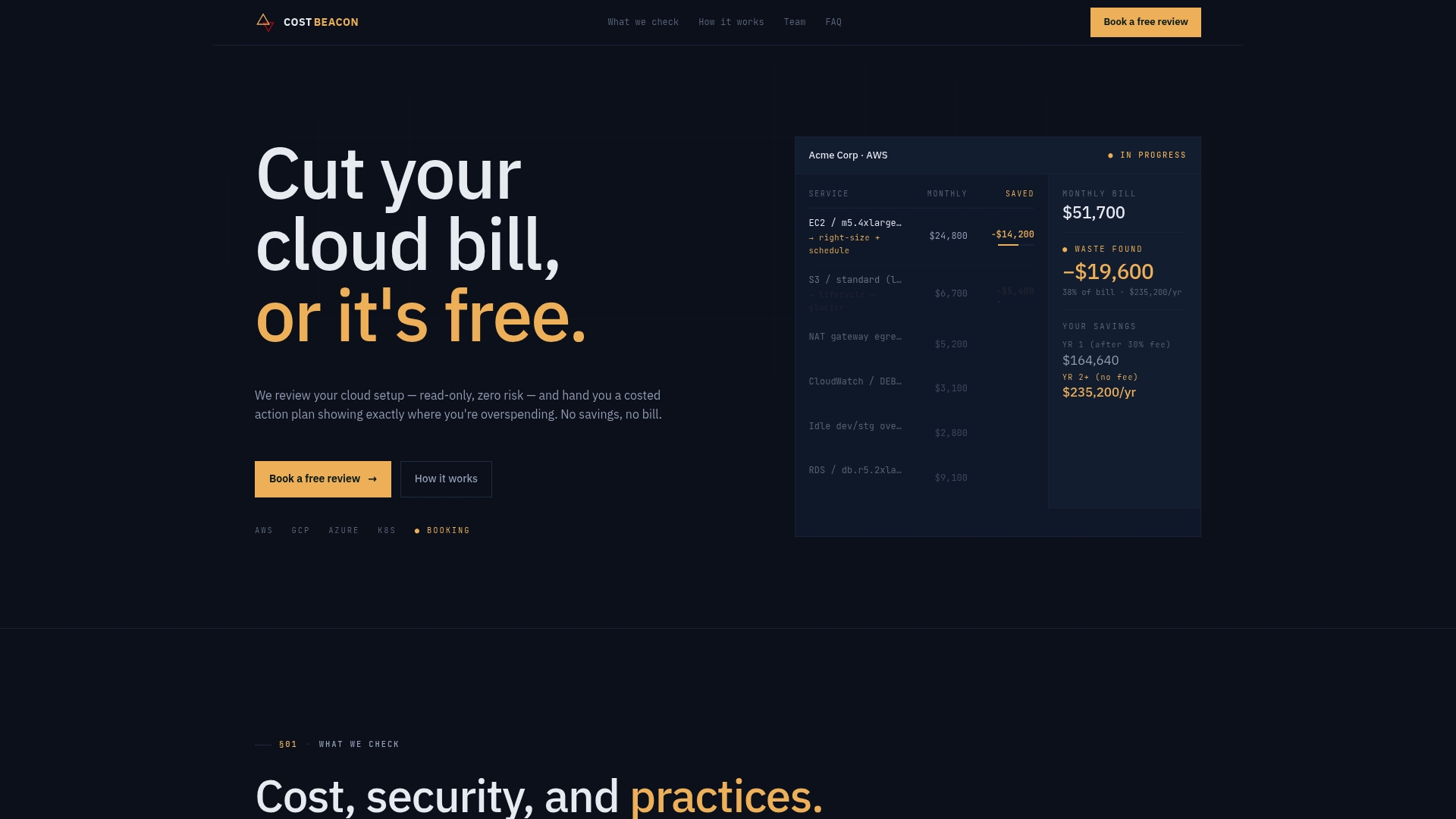
A combined AI-driven and hands-on engineering review can analyze your AWS, GCP, Azure, and Kubernetes environments, using read-only access, to find the specific line items driving your bill up. The output can be a prioritized action plan with expected savings per item, so your team knows what to fix first and what it may be worth. The engagement can be structured so that fees are based on savings actually realized, with no upfront cost and no exposure if the findings turn out smaller than hoped. If your tagging data already shows which teams are driving spend, an audit is the natural next step to find out why. Get a free cloud cost and security review and see what a prioritized savings plan looks like for your environment.
Sources
For exact console steps and edge cases beyond what’s covered here, consult AWS’s own activation guide, the tagging best-practices whitepaper, and the documentation on Cost Categories for handling costs tags can’t reach.
Aaditya works on cloud cost and platform engineering at Cost Beacon, mostly on AWS and Kubernetes estates that grew faster than anyone planned for.
 Cost Beacon