Enable the AKS cost analysis add-on and move toward AKS Automatic or node auto-provisioning (NAP) with tuned autoscalers. That single combination surfaces your biggest waste and lets you fix it without breaking reliability. Cost Beacon’s audits typically find savings in a predictable order: visibility first, then rightsizing, then spot and reservation discounts, then telemetry pruning.
Here’s where the money usually is:
- Cost visibility: namespace and asset level views expose which teams and workloads actually drive spend.
- Rightsizing: VPA recommendations and NAP catch overprovisioned CPU and memory requests.
- Spot and reservations: interruption-tolerant workloads move to spot pools; steady-state compute gets committed discounts.
- Telemetry pruning: log and metric ingestion is often the quiet second bill on the invoice.
Across fintech, telecom, and other sectors, Cost Beacon’s audits have demonstrated substantial reductions in cloud bills, with clients paying only on realized savings.
Key Takeaways
Effective AKS cost optimization requires enabling granular cost visibility first, then rightsizing, spot and reservation discounts, and telemetry pruning in that order.
| Point | Details |
|---|---|
| Visibility comes first | Enable the AKS cost analysis add-on to get namespace and asset-level cost views before making any changes. |
| Prefer AKS Automatic | NAP, HPA, VPA, and KEDA come preconfigured, cutting idle capacity without manual autoscaler tuning. |
| Separate VPA and HPA roles | Run VPA in recommendation mode and let HPA handle replica scaling to avoid control-loop thrashing. |
| Sequence discounts correctly | Test and stabilize workloads before buying reservations or savings plans, and isolate spot pools to interruption-tolerant work. |
| Consider a pay-on-savings audit | Cost Beacon’s audits find substantial reductions and invoice only on realized savings, with no upfront fee. |
Table of Contents
- What drives your AKS cost optimization bill in the first place
- AKS Automatic or Standard: which cluster mode actually saves money?
- How should you design node pools and pick VM SKUs?
- Which autoscalers should you trust, and where do they conflict?
- When do spot pools and reservations actually pay off?
- How do you cut telemetry costs without losing incident visibility?
- How do you make AKS cost management repeatable across teams?
- What should a prioritized AKS savings plan look like?
- A 30 to 90 day plan to start cutting AKS spend
- Balancing cost cuts with reliability: an editorial view
- Get a pay-on-savings review of your AKS spend
- Frequently asked questions about AKS cost optimization
- Sources
What drives your AKS cost optimization bill in the first place
Your AKS invoice is really four bills stitched together, and most teams only look at one of them. Compute is usually the largest line, covering node VMs, node pools sitting idle overnight, and any premium SKUs picked for peak load rather than steady state. Storage comes next: persistent volumes, especially Premium SSD, billed whether or not the pods using them are actually running. Networking adds load balancer hours, public IP charges, and egress traffic between regions or out to the internet. Then there’s the SLA tier and add-on layer: the Uptime SLA charge if you’ve opted into it, plus monitoring, DNS, and any managed add-ons riding along.
Most teams can’t see this breakdown by cluster, let alone by namespace or team, until they turn on granular tracking. The AKS cost analysis add-on solves that specific problem. It reconciles actual invoice data against Kubernetes constructs, meaning you get cost views scoped to clusters, namespaces, and even individual assets like a persistent volume or node pool. That’s a meaningfully different view than the raw Azure Cost Management data, which stops at the resource group.
There’s a catch worth flagging early: the add-on requires the Standard or Premium AKS tier, and it only works with certain subscription types (Enterprise Agreement or Microsoft Customer Agreement). If you’re still on the Free tier, upgrading is a prerequisite, not optional.
Why does allocation matter before rightsizing? Because “the cluster costs $40,000 a month” tells finance nothing actionable. Skip this step and every optimization that follows is a guess.
AKS Automatic or Standard: which cluster mode actually saves money?
AKS Automatic is the better default for most new production workloads, and Microsoft’s own guidance backs that up. It preconfigures node auto-provisioning, HPA, VPA, and KEDA out of the box, which removes a lot of the manual tuning that teams either skip or get wrong. NAP alone reduces idle capacity by picking efficient VM sizes for pending pods instead of forcing you to pre-provision a handful of static node pools “just in case.”
Automatic also ships with managed Prometheus and sane autoscaler defaults, so you’re not reverse-engineering a cost-safe configuration from scratch.
Standard mode still makes sense when you need custom node images, specific kernel configurations, or fine-grained control over networking plugins that Automatic doesn’t expose. If that’s you, replicate Automatic’s cost levers manually: enable the cluster autoscaler, layer in KEDA for event-driven scaling, and turn on VPA in recommendation mode before you ever act on its suggestions.
Before migrating either direction, check:
- Do any workloads depend on custom node configurations Automatic doesn’t support?
- Are your autoscalers already tuned, or are node pools sized by guesswork?
- Can your CI/CD pipeline tolerate a managed node image release cadence?
Pro Tip: Run AKS Automatic side by side with your existing Standard cluster on a non-critical workload for two to three weeks before committing. You’ll see the bin-packing difference in your cost analysis view almost immediately.
How should you design node pools and pick VM SKUs?
Node pool sprawl is one of the most common, and most fixable, sources of AKS waste. Teams spin up a new pool for every team or workload without ever consolidating, and the result is dozens of partially full nodes billed at full price.
- Classify workloads first. Separate stateless, scale-out services from stateful, latency-sensitive, and batch or GPU workloads. Each class gets its own node pool pattern, not its own sprawl of one-off pools.
- Use taints and tolerations to isolate expensive resources. GPU nodes should only ever run GPU workloads. A stray sidecar landing on a GPU node is pure waste.
- Evaluate ARM64 for scale-out services. ARM64 instances often deliver better price-to-performance for stateless, horizontally scaled workloads, but only after you’ve validated container image compatibility across your build pipeline. Start with low-risk, stateless services before touching anything customer-facing.
- Consolidate where safe. If three node pools are running the same instance family with similar labels, merge them. Use node labels and taints to route workloads deliberately instead of relying on default scheduling.
- Reassess quarterly. VM SKU pricing and availability shift; a pool designed a year ago may no longer be the best price-to-performance match.
The goal is fewer, better-utilized pools, not more granular ones. Every additional pool adds operational overhead that has to justify itself in actual savings.
Which autoscalers should you trust, and where do they conflict?
Autoscaling is where most AKS cost optimization efforts either pay off or quietly cause an outage. Four tools do different jobs, and mixing up their roles is the single most common configuration mistake.
- Cluster autoscaler or NAP adds and removes nodes based on pending pod demand. NAP goes further by picking the right-sized VM for each pending pod rather than scaling a fixed pool shape.
- HPA scales pod replica counts based on traffic or custom metrics. It’s reactive and fast.
- VPA recommends (or applies) CPU and memory request changes based on actual usage history. It’s slow and deliberate by design.
- KEDA scales workloads based on external event sources, including scale-to-zero for queue-driven or scheduled jobs.
The conflict shows up when VPA and HPA both watch the same CPU metric on the same workload. VPA changes the pod’s resource requests, HPA reacts to the resulting utilization shift, and you get a feedback loop that thrashes pod counts and resource requests simultaneously. Run VPA in recommendation-only mode for any workload also managed by HPA, and let a human or a change process apply the resource updates.
KEDA’s scale-to-zero looks great on a cost dashboard until a cold start delays your first request by several seconds. Reserve it for asynchronous workloads, not user-facing APIs with tight latency budgets.
One more thing that quietly defeats aggressive scale-down: pods that can’t be evicted because of pod disruption budgets, local persistent volumes, or overly strict anti-affinity rules. Nodes holding those pods stay billed regardless of how well your autoscaler profile is tuned.
Pro Tip: Before tightening your cluster autoscaler’s scale-down delay, audit for unevictable pods first. Otherwise you’re tuning a lever that has no effect.
When do spot pools and reservations actually pay off?
Spot node pools and committed discounts solve different problems, and buying them in the wrong order wastes money instead of saving it.
Spot VMs use Azure’s spare capacity at steep discounts, but they carry no SLA and can be evicted with short notice. That makes them a strong fit for batch processing, CI/CD runners, and stateless services with built-in retry logic. It’s a poor fit for anything backing an SLO-critical path. Isolate spot nodes into their own pool with taints, and make sure your autoscaler can reschedule evicted pods onto on-demand capacity without manual intervention.
Reservations and savings plans work on the opposite principle: you commit to steady, predictable usage in exchange for a discount. Azure reservations can cut compute costs substantially compared to pay-as-you-go pricing on some resources, depending on term length and instance family. Savings plans offer more flexibility by committing to an hourly spend rather than a specific SKU.
The order matters:
- Test: run workloads on-demand long enough to understand real usage patterns.
- Stabilize: let autoscalers and rightsizing settle into a steady-state footprint.
- Commit: buy reservations or savings plans against that stabilized baseline, not against a guess.
Buying a three-year reservation before you’ve rightsized is how teams end up overcommitted to capacity they no longer need.
How do you cut telemetry costs without losing incident visibility?
Observability is often the “second bill” nobody budgets for, and it can rival compute in AKS environments that log aggressively. The rough formula is simple: cost scales with ingestion volume, multiplied by retention period, multiplied by how often you query that data.
Each variable is a lever:
- Drop low-value logs at the source. Debug-level logging from stable services rarely earns its ingestion cost.
- Shorten retention on high-volume, low-signal data. Not every log needs 90 days; some need seven.
- Sample metrics instead of capturing everything. Most dashboards don’t need per-second granularity.
- Use managed Prometheus where it’s cheaper than routing the same data through Log Analytics.
Governance closes the loop. Run a telemetry audit every quarter and tie it directly to recent incident postmortems: if a log stream never once helped diagnose an incident in six months, it’s a candidate to cut. If it was the reason you found the root cause in ten minutes instead of two hours, keep it and say so explicitly in the audit notes.
How do you make AKS cost management repeatable across teams?
Cost savings that depend on one engineer remembering to check a dashboard don’t survive that engineer changing teams. Turning cost control into a process, not a hero act, takes three things.
- Shift billing into an engineering metric. Namespace-level costing from the AKS cost analysis add-on lets you build chargeback or showback reports that attribute real dollar figures to specific teams, not just abstract percentages.
- Automate the guardrails. Azure Advisor surfaces AKS-specific recommendations, like enabling VPA recommendation mode or tuning cluster autoscaler profiles, without you having to build custom detection. Pair it with Cost Management budgets and Azure Policy to enforce quotas and default resource requests before waste accumulates.
- Set a cadence and stick to it. Monthly cost reviews catch drift before it becomes a quarter’s worth of overspend. Alert thresholds on anomalies catch spikes in near real time. A written playbook for any change above a set dollar threshold means large infrastructure decisions get financial sign-off, not just engineering approval.
This is the FinOps alignment piece that most technical teams underinvest in: shared ownership between platform engineering and finance, with the same numbers visible to both sides.
What should a prioritized AKS savings plan look like?
The order of operations matters more than the individual tactics. Fix visibility first, otherwise every subsequent change is a guess dressed up as a decision.
A sensible priority sequence looks like this: enable cost analysis and establish namespace-level visibility, rightsize based on VPA recommendations and NAP data, move interruption-tolerant workloads to spot pools, purchase reservations against stabilized steady-state usage, and prune telemetry last, once you know which logs actually mattered during past incidents.
| Lever | Cost visibility | Operational overhead | Risk to reliability | Expected savings |
|---|---|---|---|---|
| Cost analysis and allocation | High (namespace/asset detail) | Low | None | Enables all other savings |
| Rightsizing via VPA/NAP | Medium | Medium | Low if VPA stays in recommendation mode | High |
| Spot pools for tolerant workloads | Medium | Medium (eviction handling) | Moderate if misapplied | Moderate to high |
| Reservations/savings plans | Low (fixed commitment) | Low | Low if bought post-stabilization | High on steady-state spend |
| Telemetry pruning | Low | Low | Low if tied to postmortem review | Moderate |
This is the same sequence Cost Beacon runs during its audits: AI-driven analytics to find idle and oversized resources, paired with engineering review to confirm what’s safe to change. Clients receive a prioritized action plan with expected savings per item, and Cost Beacon only invoices a fee once savings are actually realized. There’s no retainer and no upfront cost. Validating ROI is straightforward: compare the invoice before and after implementation against the specific line items the audit flagged, not just the total bill.
A 30 to 90 day plan to start cutting AKS spend
- Weeks 0 to 2: Enable the AKS cost analysis add-on and confirm your tier supports it. Pull a baseline report by namespace to identify your top three spenders.
- Weeks 2 to 4: Turn on VPA in recommendation mode across major workloads. Review Azure Advisor’s AKS recommendations and action the low-risk ones immediately.
- Weeks 4 to 6: Move a pilot set of interruption-tolerant workloads to a dedicated spot node pool. Test eviction handling under load before expanding.
- Weeks 6 to 8: Audit telemetry ingestion and retention. Cut anything that hasn’t informed an incident response in the last two quarters.
- Month 2 to 3: Finalize steady-state node sizing based on four to six weeks of stable data. Purchase reservations or savings plans against that baseline. Set a monthly cost review cadence with finance in the room.
Each phase builds on the one before it. Skipping straight to reservations without steady-state data is the most common reason teams end up overcommitted.
Balancing cost cuts with reliability: an editorial view
The conventional advice treats cost optimization and reliability as a trade-off you negotiate once and move on from. That’s backward. The workloads where aggressive autoscaling and spot pools make sense are the ones with real SLO headroom: batch jobs, internal tools, anything with built-in retries. The workloads where you should barely touch the autoscaler are the ones customers notice when they’re slow.
What gets underestimated is the cultural piece. Engineers who’ve never seen a cost report treat spend as someone else’s problem. Once namespace-level costing is visible to the team that owns the workload, behavior changes without a single policy change. That’s the actual lever, more than any specific autoscaler setting.
Get a pay-on-savings review of your AKS spend
Cost Beacon exists for exactly the gap most teams hit after reading a guide like this one: knowing the levers versus having the engineering hours to pull all of them safely across a live cluster. A Cost Beacon review combines AI-driven analytics with hands-on engineering audit work to find idle resources, oversized node pools, and misconfigured autoscalers across your AKS environment, then delivers a prioritized action plan with expected savings attached to each item.
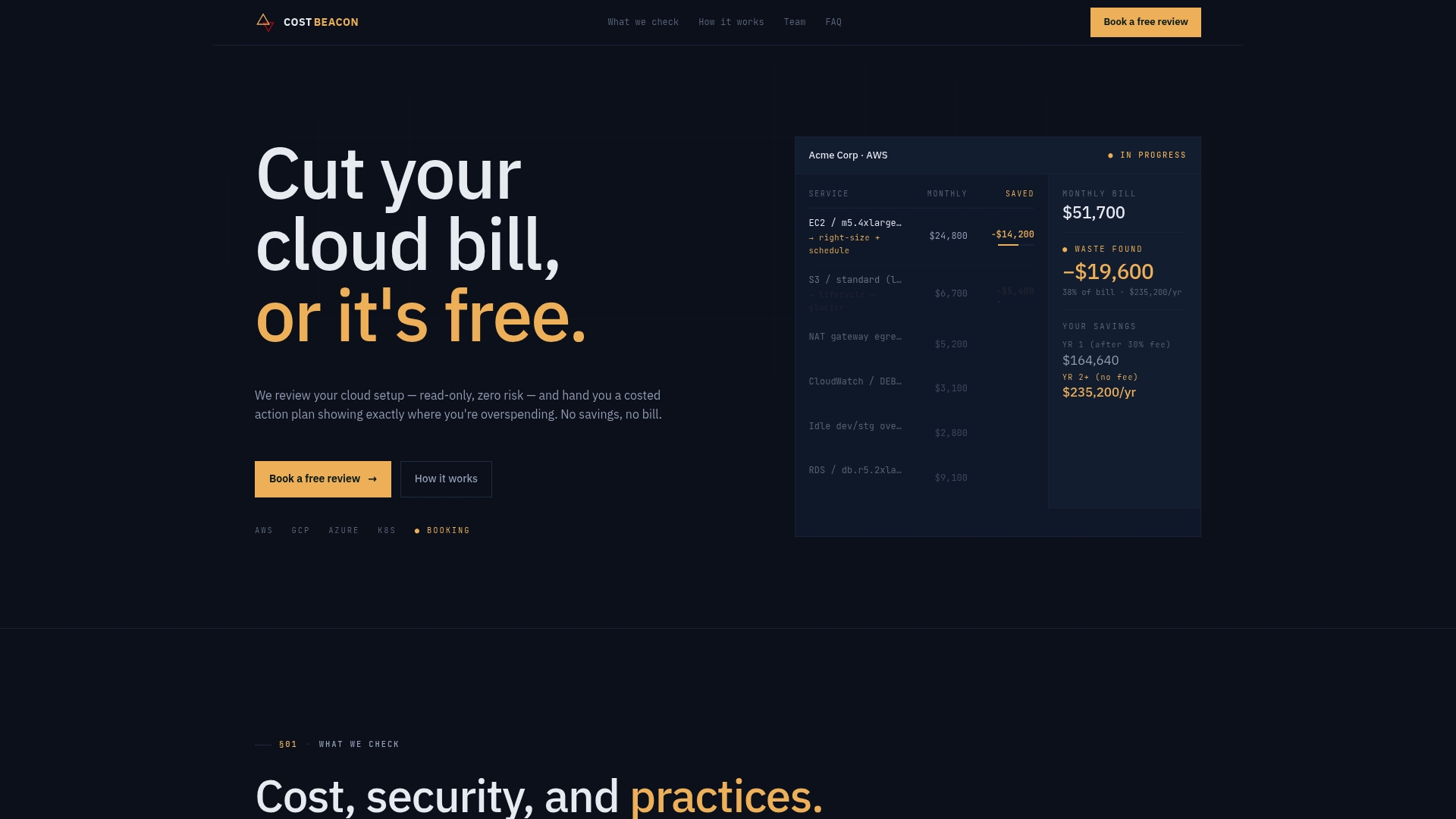
The pricing model removes the usual risk from that decision: no upfront fee, no retainer, and Cost Beacon only invoices a percentage of savings you actually realize. If your AKS bill has been climbing faster than your workloads have, request a cloud cost and security review and get a prioritized plan built specifically around your cluster’s actual usage.
Frequently asked questions about AKS cost optimization
What is the fastest way to start AKS cost optimization? Enable the AKS cost analysis add-on first. Without namespace and asset-level visibility, every rightsizing decision that follows is a guess.
Does AKS Automatic actually cost less than Standard mode? For most production workloads, yes, because it preconfigures NAP, HPA, VPA, and KEDA, which reduces manual tuning and idle capacity compared to a typically undertuned Standard cluster.
Are spot node pools safe for production AKS workloads? Only for interruption-tolerant workloads with retry logic. Spot VMs carry no SLA and can be evicted, so isolate them from SLO-critical services with dedicated node pools and taints.
When should I buy Azure reservations for AKS? After steady-state usage stabilizes, not before. Buying reservations against unstable or overprovisioned usage locks in a commitment sized for waste rather than actual demand.
How much can Azure Advisor save on AKS costs? Advisor doesn’t quote a fixed savings figure, but it surfaces specific, actionable recommendations, like enabling VPA recommendation mode or adjusting autoscaler profiles, at no extra setup cost beyond permissions.
Sources
- Optimize AKS costs
- Azure Kubernetes Service pricing
- AKS cost optimization: lowering spend without compromising reliability
Recommended
Aaditya works on cloud cost and platform engineering at Cost Beacon, mostly on AWS and Kubernetes estates that grew faster than anyone planned for.
 Cost Beacon